-

Bachelor's

-

Masters
-

MBA
-

Doctorate
-

Micro Credit
-

Explore all Courses
-
Postgraduate Certifications

-
Postgraduate Diploma
-
Undergraduate Diploma
-
Diploma



Excel or Python? Modern Analytics Teams Refuse to Pick One
Author: neha mondal
|5
MINS READ
| 2
| 256
Created On: 19 February, 2026
Share




Table of Contents (TOC):
- Excel for Data Analysis: Familiar, Fast, and Accessible
- Python for Data Analysis: Scalable and Reproducible
- Comparing Excel and Python for Analytics Work
- Why Use Python for Data Analysis Over Excel
- Is Python Good for Data Analysis?
- Using Python and Excel Together
- Why Analytics Teams Need Both
- Final Thoughts
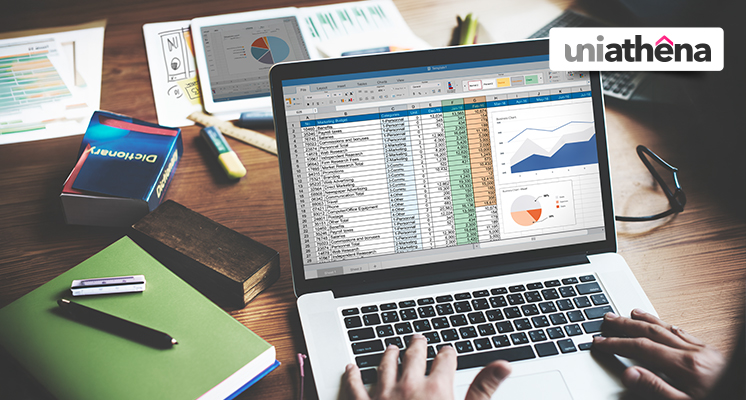
Excel vs Python is one of the most debated topics in analytics teams. Some professionals rely heavily on spreadsheets for reporting and analysis, while others prefer programming-based workflows. Framing this discussion as a competition, however, misses the point. In reality, modern analytics teams rarely choose one at the expense of the other. Instead, they combine Excel and Python to leverage the strengths of both tools.
Determining which one is better between Excel and Python in data analysis is less about declaring a winner and more about understanding when and why each tool is useful.
Excel for Data Analysis: Familiar, Fast, and Accessible
Excel has been the default data analysis tool in business for decades. Its spreadsheet interface allows analysts to navigate data quickly, manipulate formulas, build pivot tables, and create charts with minimal setup. When working with small to medium-sized datasets, Excel enables fast analysis and straightforward reporting.
Excel is particularly effective for structured, tabular data and ad hoc analysis. It is already familiar to many business users, which lowers the entry barrier to analytics work. This makes Excel especially useful for initial exploration, summaries, and stakeholder-facing reports.
However, Excel begins to reach its limits as datasets grow larger and analytical tasks become more complex. Scaling analysis with high confidence becomes challenging due to manual workflows, file-based storage, and limited automation.
Python for Data Analysis: Scalable and Reproducible
This is where Python becomes essential. Python is a programming language widely used in analytics, machine learning, and data engineering. Libraries such as pandas, NumPy, and matplotlib allow analysts to clean data, perform transformations, and build analytical pipelines that are both scalable and repeatable.
One of the main reasons Python is widely used in analytics is reproducibility. Python scripts record every step of the analysis, making it easier to trace changes, debug issues, and collaborate across teams. This is especially important in professional analytics environments where consistency and auditability matter.
Exploratory data analysis, feature engineering, and report automation are highly effective when implemented programmatically. This is why Python is often the preferred choice for teams that are outgrowing spreadsheet-based workflows.
Comparing Excel and Python for Analytics Work
To compare Excel and Python meaningfully, it helps to consider their roles across the analytics lifecycle. Excel excels at quick checks, manual adjustments, and presenting results. Python, on the other hand, is better suited for large datasets, complex transformations, and advanced analytics.
Whether Python is better than Excel ultimately depends on context. Excel may be faster and simpler for small datasets and one-time analyses. Python is more suitable for large-scale projects, automation, and predictive modelling. This does not mean Excel is obsolete. Instead, its role is evolving.
Why Use Python for Data Analysis Over Excel?
Many professionals ask why they should use Python instead of Excel. The main reasons include scalability, flexibility, and integration. Python can handle millions of rows efficiently, connect directly to databases and APIs, and integrate with machine learning workflows.
Using Python, analysts can build end-to-end pipelines, from data ingestion to visualisation, without manual intervention. Once created, these pipelines can be reused, reducing errors and improving efficiency over time. As analytics teams mature, Python becomes increasingly valuable for maintaining consistent and reusable analysis processes.
That said, Python has a steeper learning curve. This is why many organisations support training initiatives or recommend structured learning paths to help teams transition smoothly.
Is Python Good for Data Analysis?
A common question among beginners is whether Python is good for data analysis. The short answer is yes, but with context. Python is powerful and versatile, but it works best when combined with domain knowledge and analytical thinking. Simply switching tools does not automatically improve analytical quality.
In practice, teams benefit most when Python complements Excel rather than replacing it. This hybrid approach allows analysts to choose the right tool for each task instead of forcing all work into a single environment.
Also Read: Automated Exploratory Data Analysis with Python
Using Python and Excel Together
Increasingly, organisations are exploring ways to use Python within Excel rather than treating them as separate tools. New features now allow analysts to run Python code directly inside spreadsheets. This enables users to apply Python’s computational power while retaining Excel’s familiar interface.
In such workflows, Excel often handles data input and presentation, while Python manages processing, modelling, and automation behind the scenes. As a result, the two tools are becoming complementary rather than competitive.
Why Analytics Teams Need Both
For modern analytics teams, the real decision is not Excel or Python, but the right balance between the two. Junior analysts and business users may rely more on Excel, while advanced analysts may lean toward Python-based workflows. Together, they create a flexible analytics environment that supports varying skill levels and use cases.
Teams that adopt both tools are better equipped to handle exploratory analysis, reporting, automation, and advanced modelling. This balanced approach ensures insights are not only accurate but also accessible and actionable.
Also Read: Exploratory Data Analysis with Pandas, NumPy, Matplotlib & Seaborn: A Beginner’s Guide
Final Thoughts
Excel and Python are not a zero-sum game in data analysis. Excel remains valuable for accessibility and communication, while Python delivers scalability and analytical depth. Understanding the strengths of each tool allows analytics teams to collaborate more effectively.
Rather than choosing one over the other, modern analytics teams succeed by using both. Applying the right tool at the right stage of the analytics lifecycle leads to more efficient workflows, stronger insights, and better decision-making.
Explore Related Courses









COMMENTS(2)

UniAthena
Thank you for your support. Keep browsing. You can visit our page uniathena.com for more informative articles.
Thank you for your support. Keep browsing. You can visit our page uniathena.com for more informative articles.
Explore Related Courses
Our Popular Insights
Careers are shifting faster than ever, and staying relevant takes more than experience. Explore UniAthena’s most-read blogs for sharp insights, emerging skills, and practical pathways that help you move forward with clarity and confidence in a changing professional world.


How to Switch Career to Data Analytics?
Read More
6
mins read




How to Switch Career to Data Analytics?
Read more
6
mins read

Get in Touch

It’s Time to Start
Join NowMost Popular Online Specialization
- Master of International Business Administration
- Master of Business Administration
- MBA in General Management- FastTrack
- Master in Innovation and Entrepreneurship
- MBA-Family Business Management
- Master in Procurement and Contract Management
- Extended Diploma in Business Analytics (SCQF Level 11)
- Diploma in Supply Chain and Logistics Management (SCQF Level 11)
- Strategic Human Resource Management Practitioner
- Master in Data Science
- Master in Engineering Management
Trending Online
- Integrated Doctorate of Business Administration
- Postgraduate Certificate in Finance for Next Generation Managers
- Master of Business Administration- General Management (Fast Track)
- Postgraduate Certificate in Socio-Economic and Legal Framework
- Postgraduate Certificate in Business Sustainability
- Certified Manager
- Supply Chain Management Practitioner
- MBA - AI in Business
- MBA - Accounting & Finance
- Master in Supply Chain and Logistics Management
Top Universities Online Certificates
- Postgraduate Certificate in International Marketing Management
- Postgraduate Certificate In International Human Resource Management
- Postgraduate Certificate in Strategic Management
- Postgraduate Certificate in Procurement & Contracts Management
- Postgraduate Certificate in Business Analytics
- Postgraduate Certificate in Strategic Supply Chain & Logistics Management
- Postgraduate Certificate in Human Resource and Leadership
- Project Management Practitioner
- Postgraduate Certificate in Supply Chain Design & Implementation
- Postgraduate Certificate in Management Accounting and Finance
Accredited Online Degree Program
- MBA - Digital Transformation
- MBA - Family Business Management
- MBA - Marketing Management
- MBA in Quality Management
- MBA - Business Intelligence & Data Analytics
- MBA in Operations & Project Management
- MBA in Energy Management
- MBA In Construction & Safety Management
- Master in Organisational Leadership
- Master in Public Health
- Master in Construction Management
- Bachelor of Arts in Business Administration


 Install Now


UniAthena is an Ed-Tech, offering flexible, affordable learning solutions, including Free-Learning Upskilling Courses and Academic Programs in partnerships with accredited and globally renowned universities and professional qualification bodies.


Do you have any questions ?
Feel free to send us your questions or request a free consultation
Send a message
UK
Athena Global Education
Magdalen Centre,
Robert Robinson Avenue,
Oxford, OX4 4GA, UK
Phone : 01865 784299
MIDDLE EAST
Athena Global Education FZE
Block L-03, First Floor,
P O Box 519265, Sharjah Publishing City,
Free Zone, Sharjah, UAE
Phone : +971 55 879 5492
INDIA
Uniathena Private Limited
9A,Midas Tower
Phase 1
Hinjewadi Rajiv Gandhi Infotech Park
Pune-411057
Phone: +91 9145665544
All Copyrights Reserved @ Athena Global Education 2021-2026