-

Bachelor's

-

Masters
-

MBA
-

Doctorate
-

Micro Credit
-

Explore all Courses
-
Postgraduate Certifications

-
Postgraduate Diploma
-
Undergraduate Diploma
-
Diploma



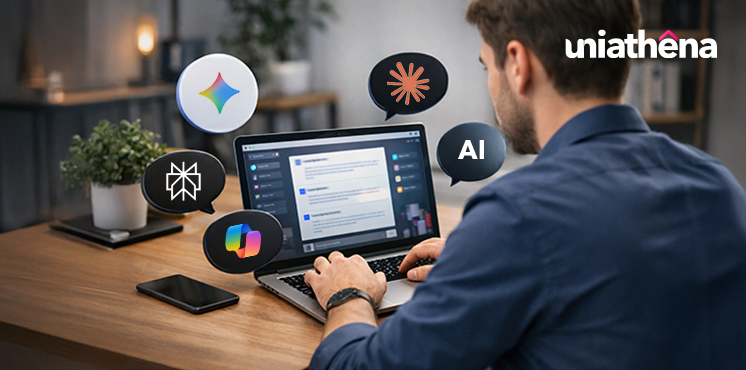
Best ChatGPT Alternatives: Top AI Tools to Try in 2026
Author: maharajan p
|8
MINS READ
| 0
| 67
Created On: 25 May, 2026
Share




Table of Contents (TOC):
- Introduction
- Key Takeaways
- Why People Look for ChatGPT Alternatives
- Best ChatGPT Alternatives in 2026
- Which ChatGPT Alternative Should You Use?
- Final Thoughts
- FAQs
Introduction
ChatGPT is often the first AI tool people start with. It helps with writing, research, coding, data tasks, and everyday work.
But as you start using it more often, one thing becomes clear. Not every task fits into a single tool. Some tasks need better research support. Some need more structured outputs. Others depend on real-time data or integration with the tools you already use.
That is where ChatGPT alternatives come in.
In this guide, we will look at some of the most used ChatGPT alternatives in 2026, what they are good at, and where they fit into real workflows.
Key Takeaways:
- ChatGPT works well for general tasks, but many users explore alternatives to ChatGPT when they need tools better suited for specific workflows.
- Perplexity AI and Grok are often used for research and real-time insights, especially when accuracy and current information matter.
- Meta AI and Character.AI support quick interactions and conversational tasks, often used alongside ChatGPT for casual or creative workflows.
- Most users combine tools like Perplexity, Claude, and Gemini to manage research, analysis, and execution across different stages of work.
Why People Look for ChatGPT Alternatives
ChatGPT is often the first tool people try when they start using AI. It handles writing, basic research, and idea generation quite well. But as usage becomes more regular, certain limitations start to show up. That is usually when people begin to explore other tools, not to replace it completely, but to support specific needs.
Here are some of the common reasons behind that shift:
1. Usage Limits and Access Restrictions:
ChatGPT operates at a massive scale, with hundreds of millions of weekly users and billions of queries being processed. At that level, limits become part of the experience. Free plans may include message caps, and access to more advanced models is often restricted. During peak usage, response speed can also vary.
2. Accuracy Issues and Hallucinations:
Reports suggest that around 30% of users have encountered incorrect or outdated responses in real usage. Because of this, many users rely on cross-checking or prefer tools that provide citations, especially for research-heavy tasks.
3. Privacy and Data Security Concerns:
As AI tools are used more often for work-related tasks, questions around data handling become more relevant. Users may share documents, queries, or internal information, which raises concerns about storage, usage, and control over that data. Some users prefer alternatives that offer clearer data policies or are built for enterprise environments.
4. Lack of Specialization for Specific Tasks:
The free version of ChatGPT operates as a monolithic assistant. It handles a broad range of queries well, but it cannot delegate sub-tasks to specialized tools or agents simultaneously. This becomes noticeable when tasks require deeper research, precise coding, or integration across workflows. As a result, users often rely on multiple tools, using one for writing, another for research, and others for productivity.
These reasons do not take away from what ChatGPT does well. They simply explain a shift in how people use AI today. Instead of relying on one tool, many users now build a small set of tools that fit different parts of their work.
Best ChatGPT Alternatives in 2026 (Top AI Tools)
Not all AI tools work the same way. Some are better for research, while others handle writing, coding, or workflows more effectively.
1. Claude
Claude is an AI assistant from Anthropic that people often use when their work involves longer inputs, detailed instructions, or tasks that need steady, step-by-step responses.
Best use cases:
- Working with long documents, PDFs, or detailed inputs
- Writing, editing, or reviewing structured content
- Breaking down complex topics into simpler explanations
- Coding support and technical problem-solving (Claude Code use cases)
- Tasks where you need consistent tone across longer outputs
Where it stands out vs ChatGPT: Claude is often preferred when the task involves depth and continuity. It tends to stay consistent across longer responses and handles large inputs more smoothly. For workflows that involve reading, processing, and responding to detailed content in one go, many users find it easier to work with.
2. Google Gemini
Google Gemini is an AI assistant from Google that is built to work across Google’s ecosystem—Gmail, Docs, Search, and more—while also supporting text, images, and other formats.
Best use cases:
- Working inside Google tools (Docs, Gmail, Sheets, Drive)
- Quick research and everyday queries
- Multimodal tasks (text, images, files in one place)
- Productivity workflows that involve multiple apps
- Brainstorming, drafting, and light coding tasks
Where it stands out vs ChatGPT: It can pull context from tools like Gmail or Drive and use that to support tasks, which makes it useful for ongoing work rather than one-off prompts. It also supports multimodal inputs more directly, allowing you to work with different types of content in the same flow.
3. Perplexity AI
Perplexity AI is an AI-powered answer engine that focuses on giving direct responses backed by sources, instead of just generating text.
Best use cases:
- Research and fact-checking
- Finding up-to-date information from the web
- Exploring topics with source-backed answers
- Summarizing articles, reports, or multiple sources
- Building context before writing or decision-making
Where it stands out vs ChatGPT: Perplexity is often used when the goal is accuracy and verification. It pulls information from the web in real time and shows sources alongside its answers, which helps when you need to check or trace information. In practice, many users use it as a research layer before moving to another tool for writing or execution.
4. Grok
Grok is an AI assistant developed by xAI, and is closely connected to the platform X (formerly Twitter).
Best use cases:
- Tracking real-time discussions and trends
- Exploring current events and public conversations
- Quick summaries of what people are talking about
- Casual queries with a more conversational tone
- Staying updated on fast-moving topics
Where it stands out vs ChatGPT: Grok is often used when the focus is on what’s happening right now. It is designed to pull from live conversations on X, which makes it useful for tracking trends and current discussions. For real-time context and fast-moving topics, this gives it a different role compared to general AI tools.
5. Meta AI
Meta AI is an assistant from Meta that is built into platforms like Instagram, WhatsApp, and Facebook. It is designed for quick interactions, everyday queries, and content support within those apps.
Best use cases:
- Quick questions while using social apps
- Content ideas, captions, and replies
- Image generation and casual creative tasks
- Everyday assistance without switching tools
- Light research or general queries
Where it stands out vs ChatGPT: Meta AI is built into platforms people already use daily. So instead of opening a separate tool, you can interact with it directly inside apps like WhatsApp or Instagram. For quick tasks and casual use, this makes it easier to access and use at the moment.
Also Read: Free AI Courses with Certificates
Which ChatGPT Alternative Should You Use?
You probably don't need to replace ChatGPT entirely. For many workflows, the smarter move is to use it alongside other tools. Each one doing what it does best.
Take Grok, for instance. It pulls real-time data from X and the web in a way that makes it genuinely useful for trend tracking and social listening. But if you want to then analyse or write with that data? Bring it over to Claude or Gemini. Same idea with any tool that's great at collection but less polished on synthesis — use it as your evidence-gatherer, then do the heavy lifting somewhere else.
That said, here's a cleaner way to think about it by role and need:
The pattern that emerges is actually pretty simple:
- Deep Research with sources → Perplexity
- Structured Writing and Reasoning → Claude
- Google Ecosystem → Gemini
- Office and Microsoft Tools → Copilot
- Real-time Social/Web Signals → Grok (then bring the data elsewhere)
Think of it less like picking a winner and more like assembling a toolkit, where each tool has a natural home in your workflow.
If you are working in areas like data analysis, business analytics, content, design, marketing, or other core domains, keeping up with tools is only one part of the process. The other part is staying updated with how modern tools and frameworks are used in real workflows.
This is where applied learning becomes useful.
Below, we have highlighted a few short courses from UniAthena across some of these domains. These focus on best practices you can apply in real time, along with practical methods and tool-based applications.
- Diploma in Application of Business Analytics: Get an in-depth look at different analytics models used for data-driven decision-making. Also learn data processing techniques to extract information from unstructured data.
- Mastering UI/UX Trends & Best Practices: Explore modern interface trends, including conversational UI/UX and chatbot development.
- Mastering Social Media Marketing: Understand how campaigns, content, and engagement strategies are designed across platforms today.
👉 If you are exploring ways to strengthen your domain skills, you can check out more options HERE.
Also Read: AI Isn’t Just Assisting Anymore. It’s Working as an Agent
Final Thoughts
There is no single “best” ChatGPT alternative.
Some tools can handle a wide range of tasks. Others are built for specific use cases like research, workflows, or real-time insights. The choice depends on what you are trying to get done.
In most cases, people don’t replace ChatGPT entirely. They use it alongside other tools, each one handling a different part of the work. If you focus on the task first, the right tool becomes easier to choose.
FAQs
Q1. What are the best ChatGPT alternatives in 2026?
A: Top alternatives include Claude, Gemini, Perplexity AI, Copilot, Grok, Meta AI, and Character.AI, depending on specific use cases.
Q2. Why should I consider using ChatGPT alternatives?
A: Alternatives can help with research accuracy, workflow integration, real-time data access, or specialized tasks that need focused capabilities.
Q3. Which AI tool is best for research and fact-checking?
A: Perplexity AI is commonly used for research, as it provides source-backed answers and up-to-date information from the web.
Q4. Can I use multiple AI tools together instead of one?
A: Yes, many workflows involve combining tools: one for research, another for writing, and another for productivity or integration tasks.
Q5. Are ChatGPT alternatives free to use?
A: Most tools offer free versions with limitations, while advanced features and higher usage limits are typically available in paid plans.
Explore Related Courses









COMMENTS(0)
Explore Related Courses
Our Popular Insights
Careers are shifting faster than ever, and staying relevant takes more than experience. Explore UniAthena’s most-read blogs for sharp insights, emerging skills, and practical pathways that help you move forward with clarity and confidence in a changing professional world.



🌟 Top Project Performer – June 2026 🌟
Read More
1
mins read



🌟 Top Project Performer – May 2026 🌟
Read More
1
mins read

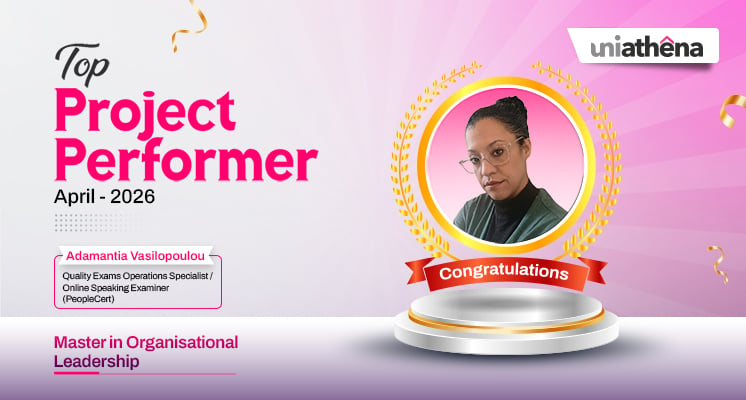
🌟 Top Project Performer – April 2026 🌟
Read More
1
mins read
🌟 Top Project Performer – June 2026 🌟
Read more
1
mins read
🌟 Top Project Performer – May 2026 🌟
Read more
1
mins read
🌟 Top Project Performer – April 2026 🌟
Read more
1
mins read
Get in Touch

It’s Time to Start
Join NowMost Popular Online Specialization
- Master of International Business Administration
- Master of Business Administration
- MBA in General Management- FastTrack
- Master in Innovation and Entrepreneurship
- MBA-Family Business Management
- Master in Procurement and Contract Management
- Extended Diploma in Business Analytics (SCQF Level 11)
- Diploma in Supply Chain and Logistics Management (SCQF Level 11)
- Strategic Human Resource Management Practitioner
- Master in Data Science
- Master in Engineering Management
Trending Online
- Integrated Doctorate of Business Administration
- Postgraduate Certificate in Finance for Next Generation Managers
- Master of Business Administration- General Management (Fast Track)
- Postgraduate Certificate in Socio-Economic and Legal Framework
- Postgraduate Certificate in Business Sustainability
- Certified Manager
- Supply Chain Management Practitioner
- MBA - AI in Business
- MBA - Accounting & Finance
- Master in Supply Chain and Logistics Management
Top Universities Online Certificates
- Postgraduate Certificate in International Marketing Management
- Postgraduate Certificate In International Human Resource Management
- Postgraduate Certificate in Strategic Management
- Postgraduate Certificate in Procurement & Contracts Management
- Postgraduate Certificate in Business Analytics
- Postgraduate Certificate in Strategic Supply Chain & Logistics Management
- Postgraduate Certificate in Human Resource and Leadership
- Project Management Practitioner
- Postgraduate Certificate in Supply Chain Design & Implementation
- Postgraduate Certificate in Management Accounting and Finance
Accredited Online Degree Program
- MBA - Digital Transformation
- MBA - Family Business Management
- MBA - Marketing Management
- MBA in Quality Management
- MBA - Business Intelligence & Data Analytics
- MBA in Operations & Project Management
- MBA in Energy Management
- MBA In Construction & Safety Management
- Master in Organisational Leadership
- Master in Public Health
- Master in Construction Management
- Bachelor of Arts in Business Administration


 Install Now


UniAthena is an Ed-Tech, offering flexible, affordable learning solutions, including Free-Learning Upskilling Courses and Academic Programs in partnerships with accredited and globally renowned universities and professional qualification bodies.


Do you have any questions ?
Feel free to send us your questions or request a free consultation
Send a message
UK
Athena Global Education
Magdalen Centre,
Robert Robinson Avenue,
Oxford, OX4 4GA, UK
Phone : 01865 784299
MIDDLE EAST
Athena Global Education FZE
Block L-03, First Floor,
P O Box 519265, Sharjah Publishing City,
Free Zone, Sharjah, UAE
Phone : +971 55 879 5492
INDIA
Uniathena Private Limited
9A,Midas Tower
Phase 1
Hinjewadi Rajiv Gandhi Infotech Park
Pune-411057
Phone: +91 9145665544
All Copyrights Reserved @ Athena Global Education 2021-2026