-

Bachelor's

-

Masters
-

MBA
-

Doctorate
-

Micro Credit
-

Explore all Courses
-
Postgraduate Certifications

-
Postgraduate Diploma
-
Undergraduate Diploma
-
Diploma



How to Improve Your Skills with ChatGPT in 2026

Author: maharajan p
|7
MINS READ
| 0
| 245
Created On: 19 February, 2026
Share




Table of Contents (TOC):
- Introduction
- Key Takeaways
- What ChatGPT Can and Cannot Do in 2026
- Principles That Improve Output Quality
- Practices That Lead to Better Results with ChatGPT
- Conclusion
- FAQs
Introduction
Most people use ChatGPT the same way every day.
They write a detailed prompt. They wait for the response. And they still feel the output could have been better.
If you are trying to figure out how to use ChatGPT effectively, this frustration is normal. The issue is rarely about typing more words or finding a “perfect” phrase. It’s about understanding how the system responds to structure, context, and intent.
ChatGPT has changed in recent times. Some limitations have been addressed, and more capabilities have been added. These changes need to be understood first, before deciding—based on past experience—which skills to improve.
Key Takeaways:
- Treat working with ChatGPT as a skill development process, not a one-time trick, clear scoping, defined constraints, and explicit output formats consistently improve results.
- Strong results come from structured ChatGPT prompts, especially when complex tasks are broken into smaller, sequential instructions instead of a single overloaded request.
- Assigning roles, using memory, and validating outputs are part of practical AI skills learning, helping you move from generic answers to usable, real-world responses.
- Leverage ChatGPT’s memory, custom instructions, and integrations with documents or APIs to maintain consistency and context.
- Validate all critical information; treat outputs as draft-level guidance, not definitive answers, especially for technical or business decisions.
What ChatGPT Can and Cannot Do in 2026
Recent research shows that a larger share of conversations now treat ChatGPT as an advisor rather than a writing engine. In practice, this means users ask it to explain options, evaluate ideas, or help them decide what to do next.
New features support this shift:
- Study mode encourages step-by-step learning instead of instant answers.
- Memory allows preferences and context to carry across sessions.
- Custom GPTs reduce the need to restate instructions for repeated tasks.
Together, these features make interaction style more important than prompt length.
Despite these improvements, ChatGPT still operates within clear boundaries. Understanding what it can and cannot do in 2026 helps set realistic expectations and prevents over-reliance.
Also Read: ChatGPT 4 vs Gemini: Which AI is better?
Principles That Improve Output Quality
ChatGPT does not fail randomly. Poor output usually follows predictable patterns. The principles below address those failure points directly.
Principle 1: Ask questions that eliminate interpretation work
Failure mode: The model has to guess what you mean.
Example
Input:
Improve this email.
At this point, ChatGPT must decide:
- Improve for clarity or persuasion?
- Formal or casual?
- Shorter or more detailed?
Because none of this is fixed, the output defaults to safe and generic.
Improved input:
“Rewrite this email to sound firm but professional. Keep it under 120 words. Do not add new arguments.”
Output quality improves when interpretation work is removed. ChatGPT performs best when it executes, not when it decides.
Principle 2: Do not compress reasoning into one prompt
Failure mode: Multiple thinking steps are forced into a single response.
Example
Input:
“Analyze this business idea and tell me if it will work.”
This requires:
- Identifying assumptions
- Evaluating feasibility
- Making a judgment
The model compresses all three, which usually produces shallow analysis.
Improved interaction:
1. List the assumptions this idea depends on.
2. Which of these assumptions are risky and why?
3. Based on those risks, what would you change?
Each response constrains the next.
ChatGPT handles structured sequences better than combined reasoning. Splitting steps improves depth and internal consistency.
Principle 3: Specify the mode of response, not just the topic
Failure mode: The model defaults to explanation when critique or evaluation is needed.
Example
Input:
“Review this article.”
The model typically summarizes and offers mild suggestions.
Improved input:
“Act as an editor. Identify unclear arguments, unsupported claims, and logical gaps. Do not rewrite the article.”
ChatGPT does not infer intent from context alone. Response mode must be stated explicitly, or the model will choose the safest one.
If you prefer learning these concepts in a structured way, the MASTER ChatGPT course can be a useful reference. It covers core ideas behind prompting, model behavior, and practical usage through examples.
Enroll in this one-week program to learn practical frameworks and workflows for using ChatGPT more effectively.
Also Read: How To Use ChatGPT For Business
Practices That Lead to Better Results with ChatGPT
The quality of ChatGPT’s output depends less on individual features and more on how it is used. The practices below focus on reducing ambiguity, improving context, and controlling response behavior. Each one can be applied immediately and affects results in a measurable way.
1. Learn Basic AI Concepts
ChatGPT predicts the next likely token based on patterns. This is why it can sound confident while being wrong. In practice, this means you should never assume correctness based on tone.
How to apply this:
- Treat outputs as drafts or hypotheses, not final answers.
- Ask follow-up questions like “What assumptions does this rely on?” or “Where could this be wrong?”
- For factual work, explicitly ask for sources or uncertainty.
Also Read: What is AI Literacy and Why Does Everyone Need It?
2. Practice Structured Prompting
This skill is about controlling output shape, not writing “better prompts.”
When prompts are unstructured, ChatGPT decides:
- what to include,
- what to ignore,
- how deep to go,
- and how to format the answer.
That decision-making is what produces generic results.
Structured prompting means fixing those decisions yourself.
Instead of making statements like, “Explain content marketing.”
Use this:
“Explain content marketing for a beginner SaaS founder.
Focus only on blog-led acquisition.
Limit the explanation to 6 bullet points.
Do not include definitions of basic marketing terms.”
For any task, lock down these four elements:
1. Audience: who the answer is for
2. Scope: what is included and excluded
3. Output form: bullets, steps, table, critique
4. Limits: length, number of points, constraints
If any of these are missing, ChatGPT fills the gap statistically. That’s where quality drops.
Also Read: Prompt Engineering Guide for 2026: Mastering Multimodal LLMs
3. Adjust Settings for Your Needs
If you keep telling ChatGPT the same things, be concise, avoid fluff, use tables, explain step by step, you are solving the same problem repeatedly. Settings exist to solve that once.
How to apply this:
- Open Custom Instructions.
- Write what you usually repeat, for example:
- “Keep responses concise and technical.”
- “Use bullet points instead of paragraphs.”
- “Ask for clarification if the request is unclear.”
- Save it and stop restating these rules in every prompt.
The result is not smarter answers. The result is consistent behavior without extra prompting.
Also Read: How To Use ChatGPT For Interview Preparation?
4. Connect ChatGPT with External Tools
ChatGPT works best when it operates on your data, not generic examples. That happens when you bring files, documents, or structured inputs into the conversation.
How to apply this:
- Upload documents, spreadsheets, or PDFs instead of summarizing them manually.
- Ask ChatGPT to analyze what you provide, not what it assumes.
- Use it to extract insights, rewrite sections, compare versions, or spot inconsistencies inside those files.
For example, reviewing a contract works better when the actual file is uploaded than when the terms are described loosely.
Also Read: What Is Grok AI? How It Works, Key Features & Applications
Conclusion
Improving ChatGPT results comes from how you interact with it, not luck or long prompts. Clear questions, sequential tasks, defined roles, and proper settings directly control output quality.
Applying structured practices, using context, external tools, and memory ensures responses are accurate, relevant, and actionable. Follow these steps consistently, and every session becomes more efficient and reliable.
FAQs
Q1. How do I get non-generic responses from ChatGPT?
A: Ask specific questions, provide context, and define the output format clearly. Ambiguity produces generic results.
Q2. How can I use ChatGPT to learn better?
A: Break complex topics into steps, request explanations, and verify information against trusted sources.
Q3. How do sequential prompts improve results?
A: They divide multi-step reasoning into stages. Each step informs the next, improving depth and accuracy.
Q4. When should I adjust ChatGPT settings?
A: Use settings to define default tone, output style, and behavior. This reduces repeated instructions.
Q5. Can ChatGPT replace experts in specialized fields?
A: No. It can support analysis and drafting but cannot replace human expertise or domain judgment.
Explore Related Courses













COMMENTS(0)
Explore Related Courses
Our Popular Insights
Careers are shifting faster than ever, and staying relevant takes more than experience. Explore UniAthena’s most-read blogs for sharp insights, emerging skills, and practical pathways that help you move forward with clarity and confidence in a changing professional world.



🌟 Top Project Performer – June 2026 🌟
Read More
1
mins read

Best AI Tools for Content Creation
Read More
9
mins read
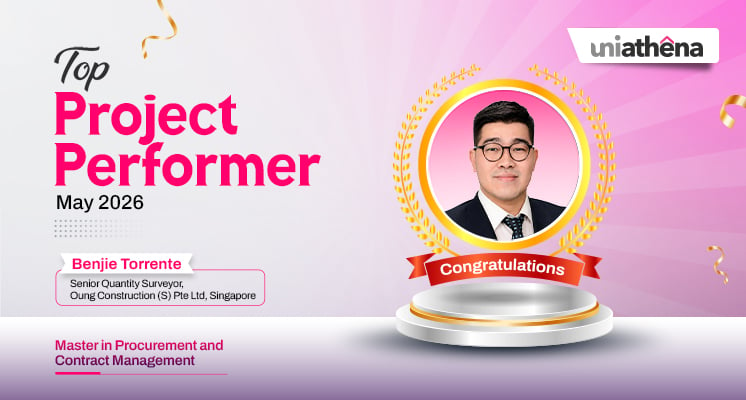
🌟 Top Project Performer – May 2026 🌟
Read More
1
mins read

How to Start Freelancing With No Experience
Read More
8
mins read

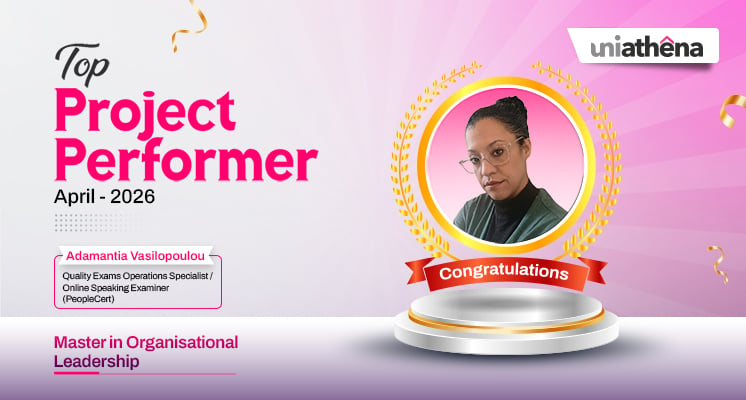
🌟 Top Project Performer – April 2026 🌟
Read More
1
mins read
🌟 Top Project Performer – June 2026 🌟
Read more
1
mins read
Best AI Tools for Content Creation
Read more
9
mins read
🌟 Top Project Performer – May 2026 🌟
Read more
1
mins read
How to Start Freelancing With No Experience
Read more
8
mins read
🌟 Top Project Performer – April 2026 🌟
Read more
1
mins read
Get in Touch

It’s Time to Start
Join NowMost Popular Online Specialization
- Master of International Business Administration
- Master of Business Administration
- MBA in General Management- FastTrack
- Master in Innovation and Entrepreneurship
- MBA-Family Business Management
- Master in Procurement and Contract Management
- Extended Diploma in Business Analytics (SCQF Level 11)
- Diploma in Supply Chain and Logistics Management (SCQF Level 11)
- Strategic Human Resource Management Practitioner
- Master in Data Science
- Master in Engineering Management
Trending Online
- Integrated Doctorate of Business Administration
- Postgraduate Certificate in Finance for Next Generation Managers
- Master of Business Administration- General Management (Fast Track)
- Postgraduate Certificate in Socio-Economic and Legal Framework
- Postgraduate Certificate in Business Sustainability
- Certified Manager
- Supply Chain Management Practitioner
- MBA - AI in Business
- MBA - Accounting & Finance
- Master in Supply Chain and Logistics Management
Top Universities Online Certificates
- Postgraduate Certificate in International Marketing Management
- Postgraduate Certificate In International Human Resource Management
- Postgraduate Certificate in Strategic Management
- Postgraduate Certificate in Procurement & Contracts Management
- Postgraduate Certificate in Business Analytics
- Postgraduate Certificate in Strategic Supply Chain & Logistics Management
- Postgraduate Certificate in Human Resource and Leadership
- Project Management Practitioner
- Postgraduate Certificate in Supply Chain Design & Implementation
- Postgraduate Certificate in Management Accounting and Finance
Accredited Online Degree Program
- MBA - Digital Transformation
- MBA - Family Business Management
- MBA - Marketing Management
- MBA in Quality Management
- MBA - Business Intelligence & Data Analytics
- MBA in Operations & Project Management
- MBA in Energy Management
- MBA In Construction & Safety Management
- Master in Organisational Leadership
- Master in Public Health
- Master in Construction Management
- Bachelor of Arts in Business Administration


 Install Now


UniAthena is an Ed-Tech, offering flexible, affordable learning solutions, including Free-Learning Upskilling Courses and Academic Programs in partnerships with accredited and globally renowned universities and professional qualification bodies.


Do you have any questions ?
Feel free to send us your questions or request a free consultation
Send a message
UK
Athena Global Education
Magdalen Centre,
Robert Robinson Avenue,
Oxford, OX4 4GA, UK
Phone : 01865 784299
MIDDLE EAST
Athena Global Education FZE
Block L-03, First Floor,
P O Box 519265, Sharjah Publishing City,
Free Zone, Sharjah, UAE
Phone : +971 55 879 5492
INDIA
Uniathena Private Limited
9A,Midas Tower
Phase 1
Hinjewadi Rajiv Gandhi Infotech Park
Pune-411057
Phone: +91 9145665544
All Copyrights Reserved @ Athena Global Education 2021-2026