-

Bachelor's

-

Masters
-

MBA
-

Doctorate
-

Micro Credit
-

Explore all Courses
-
Postgraduate Certifications

-
Postgraduate Diploma
-
Undergraduate Diploma
-
Diploma



What is Tableau? Understanding the Power of Tableau Software

Author: aishwarya sancheti
|7
MINS READ
| 0
| 129
Created On: 28 October, 2025
Share




Table of Contents (TOC):
- What is Tableau Used For? Real-World Examples
- How Does Tableau Work?
- Key Features and Functions of Tableau
- Benefits and Advantages of Tableau
- Tableau Visualization Examples
- Careers in Tableau and Learning Opportunities
- Grow Your Career with Tableau
- Conclusion
The companies that can make sense of the data within the shortest time are those that will prosper in a world full of data. Businesses receive vast amounts of information on customer behavior and sales trends every day in the form of operational performance and market research. But bare data alone does not make sense. The magic is the actual part when something can be learnt out of it, and this is where Tableau comes in.
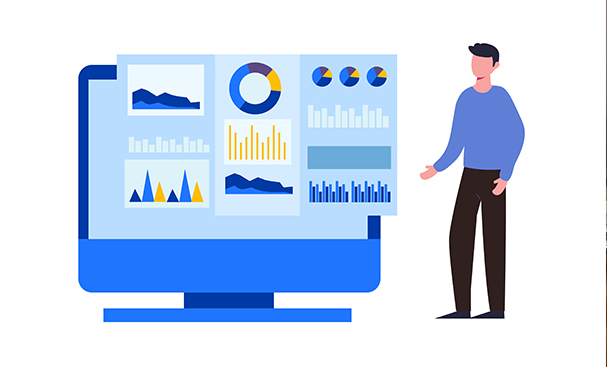
Tableau is a tech platform that allows you to visualize your data in a useful manner, allowing business and professional people to make wiser and quicker decisions. Considering that the Excel sheet has only rows and rows of numbers, it is difficult to comprehend the sales of a company on the basis of this data only.
It is very tiresome, time-consuming, and subject to mistakes. Tableau also uses the same data and transforms it into interactive dashboards and visualizations that tell a story on their own.
What is Tableau Used For? Real-World Examples
Across industries, Tableau has become the go-to solution for making smarter decisions:
Retail
Tableau allows companies to understand the performance of products and their customers' purchasing behavior. As an example, a retail chain can find out by using a Tableau dashboard that customers in cities like other products than rural customers or that sales are highest at certain times of the year.
Through such insights, marketing teams will be able to roll out targeted campaigns, with the inventory managers changing the amount of stock efficiently.
Medical
Hospitals and governments have been using Tableau reporting tools to monitor the rates of infection, the implementation of vaccinations, and the distribution of resources during the pandemic. This visibility in real time saved time, steered policies, and eventually saved lives.
Small Businesses
Tableau is used in small companies in day-to-day decision-making. An example of this is a local restaurant chain that is able to study the time of the day when people eat the most, the most favored food, and the comments of the customers. Tableau business intelligence empowers managers to interpret customer trends visually, enabling better staffing and menus to maximize profits.
Whether it’s big data analysis or small-scale insights, Tableau helps professionals uncover the “why” behind the numbers.
How Does Tableau Work?
The strength of Tableau Business Intelligence software lies in its ability to connect to multiple data sources (Excel, SQL databases, Salesforce, Google BigQuery, and more) and turn that raw information into visuals.
Using its drag-and-drop interface, users can quickly build:
- Interactive charts
- Analytical graphs
- Customized dashboards
As an illustration, a marketing team can link the data about their campaigns with Tableau, monitor open rates and conversion, and dive into audience-based data exploration. Such data analysis using Tableau does not just indicate what has occurred but also can be used to predict performance in the future.
In a nutshell, Tableau is not a simple visualization tool; rather, it is a data exploration and business intelligence solution.
Also Read: What Is Business Intelligence?
Key Features and Functions of Tableau
The Tableau features that are the most potent are:
- Interactive Dashboards - View and interactively interact with the data. Live dashboards are maintained by real-time data updates that maintain their status without manual updates.
- Advanced Analytics - Use forecasts, trend lines, and statistical summaries.
- Data Connection - Connect to spreadsheets, databases, and cloud data effortlessly.
- Teamwork & Collaboration - Publish dashboards securely with teams.
These Tableau functions make it one of the most trusted business intelligence tools available today.
Benefits and Advantages of Tableau
Organizations adopting Tableau see tangible improvements. In fact, a study by Nucleus Research reported that companies using Tableau data visualization software like Tableau achieve an average ROI of $13.01 for every dollar spent.
Advantages of Tableau:
- User-friendly interface (even beginners find it easy to learn).
- Fast insights with minimal technical setup.
- Scalable across small teams or global enterprises.
- Supports data-driven decision-making.
- Applicable to multiple industries (finance, healthcare, retail, technology).
Disadvantages of Tableau:
- Premium versions can be costly for small businesses.
- Some users face a learning curve with advanced dashboard design.
Still, the benefits of Tableau business intelligence far outweigh its limitations, making it a preferred business intelligence platform globally.
Tableau Visualization Examples
From sales dashboards to healthcare monitoring systems, Tableau provides endless visualization examples.
You can create:
- Revenue trend dashboards
- Customer segmentation charts
- HR performance trackers
- Supply chain monitoring visuals
These examples highlight how Tableau data visualization drives strategic and operational decisions across sectors.
Also Read: Data Science & Analytics Tools Every Professional Should Know
Careers in Tableau and Learning Opportunities
As more businesses adopt Tableau business intelligence tools, demand for professionals skilled in Tableau continues to rise.
Roles include:
- Data Analyst
- Business Intelligence Specialist
- Tableau Consultant
Is Tableau easy to learn? Yes, especially with structured training. Professionals who master Tableau gain an edge in the job market, making it one of the most in-demand data visualization tools today.
Grow Your Career with Tableau
Data is at the heart of every successful business today, and professionals who can interpret and visualize that data have a significant advantage. Learning Tableau can help you unlock career opportunities, from data analyst roles to business intelligence specialists, and even Tableau consultancy positions.
The right courses not only teach you how to work with Tableau but also give you credentials that demonstrate your expertise to employers.
Tableau Courses for Beginners and Beyond
Although it is possible to go directly to higher-level certifications in Tableau, it is usually more appropriate to begin with the basic ones, particularly when a person has to combine work and personal life. UniAthena has a range of online Tableau data visualization courses available, which are self-paced, accessible everywhere, and programs to support learners at all levels.
Here are some top recommendations:
1. Basics of Data Visualization with Tableau
The course is ideal in the case of beginner learners who wish to have a good understanding of Tableau and data visualization. You will learn to maneuver around Tableau Desktop and how to develop simple visualizations and conceptualize the essence of transforming raw data into actionable insights. The accomplishment makes you have a professional qualification, which gives your resume a boost.
2. Mastering Data Visualization with Tableau
This is an intermediate course that will bring you further when the basics are mastered. You will discuss interactive dashboards, advanced charts, and the analysis of complex datasets. In conclusion, you can design visualizations that narrate a story in an effective manner.
3. Certified Tableau Beginner
For those new to Business Intelligence and Tableau Desktop, this course provides a hands-on introduction. You’ll learn how to connect to data sources, create basic reports, and start interpreting insights that can impact real business decisions.
4. Certified Tableau Specialist
This course focuses on the next level: advanced Tableau features. You’ll work with filters, parameters, and Level of Detail (LOD) expressions to refine your analyses. It’s ideal for professionals looking to expand their technical skills and tackle complex datasets.
5. Certified Tableau Visual Analyst
Designed for analysts who want to elevate their visual storytelling, this course covers advanced visualization techniques and analytical thinking. You’ll learn to uncover hidden trends and communicate insights that drive strategy.
6. Certified Tableau Dashboard Designer
Dashboards are at the heart of Tableau, and this course teaches you how to create interactive, actionable dashboards that can guide teams and executives in making data-driven decisions.
7. Certified Tableau Associate
This course also offers a detailed insight into the features and functionalities of Tableau. It is built to equip you with professional jobs where you need to be well-versed with Tableau to make you have confidence in handling real-life data issues.
All of these courses are free, self-paced, and accessible online, making them suitable for learners across the globe. Courses are certified by top universities like Cambridge International Qualifications (CIQ), UK, and Acacia University Professional Development, ensuring global recognition.
By completing them, you not only gain practical knowledge of Tableau business intelligence tools but also earn a professional certification that strengthens your career prospects and equips you to contribute effectively to data-driven projects.
Conclusion: Why Learn Tableau?
The modern-day business is founded on the basis of data, but intelligence is what data is worth. Tableau BI tools fill that gap and transform a mass of data into a simple picture and action plan.
To the professionals, learning Tableau is not about learning how to use the software, but rather about what opportunities it opens, and how they get to truly know their customers, make smarter choices in the business. This tool enables organizations to remain competitive even in a rapidly evolving world, whether in Tableau dashboards, reports, or integrations.
If you want to thrive in the data-driven future, investing in Tableau training, certifications, and online courses is one of the smartest career moves you can make.
Explore Related Courses










COMMENTS(0)
Explore Related Courses
Our Popular Insights
Careers are shifting faster than ever, and staying relevant takes more than experience. Explore UniAthena’s most-read blogs for sharp insights, emerging skills, and practical pathways that help you move forward with clarity and confidence in a changing professional world.



🌟 Top Project Performer – June 2026 🌟
Read More
1
mins read



🌟 Top Project Performer – May 2026 🌟
Read More
1
mins read



🌟 Top Project Performer – April 2026 🌟
Read More
1
mins read
🌟 Top Project Performer – June 2026 🌟
Read more
1
mins read
🌟 Top Project Performer – May 2026 🌟
Read more
1
mins read
🌟 Top Project Performer – April 2026 🌟
Read more
1
mins read
Get in Touch

It’s Time to Start
Join NowMost Popular Online Specialization
- Master of International Business Administration
- Master of Business Administration
- MBA in General Management- FastTrack
- Master in Innovation and Entrepreneurship
- MBA-Family Business Management
- Master in Procurement and Contract Management
- Extended Diploma in Business Analytics (SCQF Level 11)
- Diploma in Supply Chain and Logistics Management (SCQF Level 11)
- Strategic Human Resource Management Practitioner
- Master in Data Science
- Master in Engineering Management
Trending Online
- Integrated Doctorate of Business Administration
- Postgraduate Certificate in Finance for Next Generation Managers
- Master of Business Administration- General Management (Fast Track)
- Postgraduate Certificate in Socio-Economic and Legal Framework
- Postgraduate Certificate in Business Sustainability
- Certified Manager
- Supply Chain Management Practitioner
- MBA - AI in Business
- MBA - Accounting & Finance
- Master in Supply Chain and Logistics Management
Top Universities Online Certificates
- Postgraduate Certificate in International Marketing Management
- Postgraduate Certificate In International Human Resource Management
- Postgraduate Certificate in Strategic Management
- Postgraduate Certificate in Procurement & Contracts Management
- Postgraduate Certificate in Business Analytics
- Postgraduate Certificate in Strategic Supply Chain & Logistics Management
- Postgraduate Certificate in Human Resource and Leadership
- Project Management Practitioner
- Postgraduate Certificate in Supply Chain Design & Implementation
- Postgraduate Certificate in Management Accounting and Finance
Accredited Online Degree Program
- MBA - Digital Transformation
- MBA - Family Business Management
- MBA - Marketing Management
- MBA in Quality Management
- MBA - Business Intelligence & Data Analytics
- MBA in Operations & Project Management
- MBA in Energy Management
- MBA In Construction & Safety Management
- Master in Organisational Leadership
- Master in Public Health
- Master in Construction Management
- Bachelor of Arts in Business Administration


 Install Now


UniAthena is an Ed-Tech, offering flexible, affordable learning solutions, including Free-Learning Upskilling Courses and Academic Programs in partnerships with accredited and globally renowned universities and professional qualification bodies.


Do you have any questions ?
Feel free to send us your questions or request a free consultation
Send a message
UK
Athena Global Education
Magdalen Centre,
Robert Robinson Avenue,
Oxford, OX4 4GA, UK
Phone : 01865 784299
MIDDLE EAST
Athena Global Education FZE
Block L-03, First Floor,
P O Box 519265, Sharjah Publishing City,
Free Zone, Sharjah, UAE
Phone : +971 55 879 5492
INDIA
Uniathena Private Limited
9A,Midas Tower
Phase 1
Hinjewadi Rajiv Gandhi Infotech Park
Pune-411057
Phone: +91 9145665544
All Copyrights Reserved @ Athena Global Education 2021-2026