-

Bachelor's

-

Masters
-

MBA
-

Doctorate
-

Micro Credit
-

Explore all Courses
-
Postgraduate Certifications

-
Postgraduate Diploma
-
Undergraduate Diploma
-
Diploma



Can AI Do Your Data Analysis for You? The Rise of Conversational Analytics
Author: lynn lawrence
|6
MINS READ
| 0
| 201
Created On: 20 November, 2025
Share




Imagine this:
You’re a business analyst staring at thousands of rows of data - sales numbers, customer reviews, and quarterly reports, all waiting to be turned into insights.
Now imagine simply asking a question like:
“Which product brought in the most revenue last quarter?”
And instantly, an AI chatbot replies with a clear, data-backed answer, complete with charts and summaries.
Welcome to the world of AI-driven analytics — where AI for data analytics isn’t just crunching numbers; it’s talking to you.
The Changing Face of Data Analysis
Not long ago, making sense of data required specialized skills: SQL queries, Excel formulas, and endless dashboards.
Today, AI data analysis tools are transforming that experience.
With AI-powered systems, anyone can explore insights using natural language. You don’t need to be a data scientist, just someone curious enough to ask, “Why did sales drop last week?”
This shift is what makes AI for data analytics a true game changer: it democratizes data access.
What is Conversational Analytics?
Simply put, Conversational Analytics means analyzing data through conversation.
Instead of clicking through complex dashboards, you can type or say your questions, and the system responds instantly.
It’s powered by Conversational AI analytics, which combines chatbot analytics, natural language processing (NLP), and big data AI to make sense of your queries.
For instance, you could ask your company’s analytics bot:
“Show me our best-performing region this year.”
And it would visualize it right away.
This is what makes conversational analytics software so powerful: it turns raw data into a dialogue.
How AI Makes Data Analysis Simpler
Here’s how AI tools for data analysis actually work behind the scenes:
- Natural Language Processing (NLP): Understands human questions like “Which campaign had the highest ROI?”
- Machine Learning (ML): Detects hidden trends and correlations.
- Predictive Models: Forecasts future outcomes based on historical patterns.
So instead of writing code, you just ask, and the AI handles the math, statistics, and logic.
Using AI to analyze data also means faster, smarter decisions.
Businesses no longer have to wait for analysts to run reports. They can chat with their data in real time.
Why Businesses Love AI-Driven Analytics
AI-driven analytics is more than a tech upgrade; it's a mindset shift.
Here’s why companies are embracing AI data analysis tools:
- Speed: Instant answers without manual calculations.
- Accessibility: Non-technical teams can explore data confidently.
- Efficiency: Less time on repetitive reports, more time for strategy.
- Accuracy: AI reduces human errors in large datasets.
A business analyst AI assistant can now summarize insights, generate visuals, and even recommend next steps — all through a simple chat interface.
Real-World Examples: Conversational AI in Action
Let’s look at how Conversational AI transforms real industries:
- Retail: Chatbot analytics help store managers track best-selling items and inventory levels.
- Healthcare: AI data analysis tools spot early trends in patient recovery and predict shortages in medical supplies.
- Finance: Conversational analytics assist teams in detecting risks and forecasting investment outcomes.
In each case, AI isn’t replacing humans; it’s empowering them to make better, faster decisions.
How to Use AI for Data Analysis
Getting started with AI for data analytics is easier than you think.
Here’s a quick roadmap:
1. Pick the Right AI tool for Data Analysis: Examples include ChatGPT Advanced Data Analysis, Tableau GPT, Power BI Copilot, Zoho Analytics, or Google Looker.
2. Connect your Data Source: Excel sheets, databases, or cloud storage.
3. Start Chatting: Ask questions like “What’s the customer churn rate?” or “Show me this year’s revenue growth.
4. Interpret and Refine: Verify AI’s insights and adjust parameters if needed.
These tools in data analytics simplify complex exploration — turning static data into meaningful stories.
Popular Conversational Analytics Tools
The market today is full of smart AI data analysis tools designed to make conversations with data simple and natural.
Here are a few powerful examples of Conversational Analytics tools making waves right now:
1. Power BI Copilot (Microsoft):
Integrated with Microsoft’s ecosystem, Power BI Copilot lets you ask questions in plain English, like, “What were my top 5 products by profit last month?”
It instantly generates charts, summaries, and explanations.
Source: Co Pilot vs Power BI
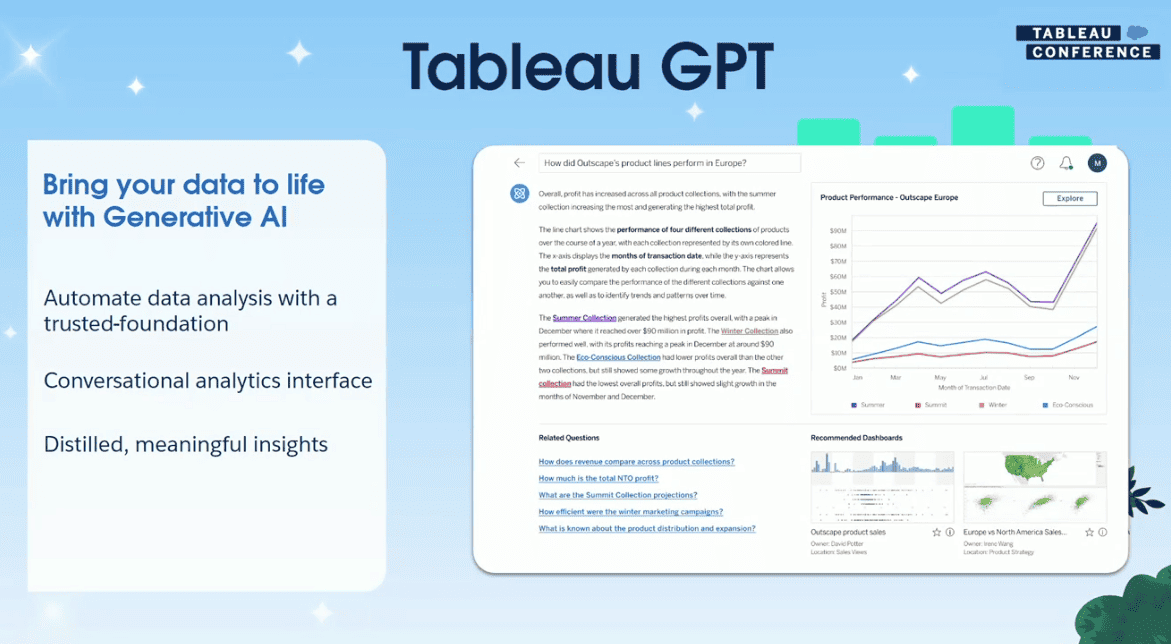
2. Tableau GPT:
Tableau GPT blends Tableau’s visual strength with AI-driven intelligence. Source: Co pilot vs power BI
You can type natural language questions, such as “Show trends in customer satisfaction over the past year,” and it creates clear visuals and summaries.
Source:Tableau GPT
3. Zoho Analytics (Zia):
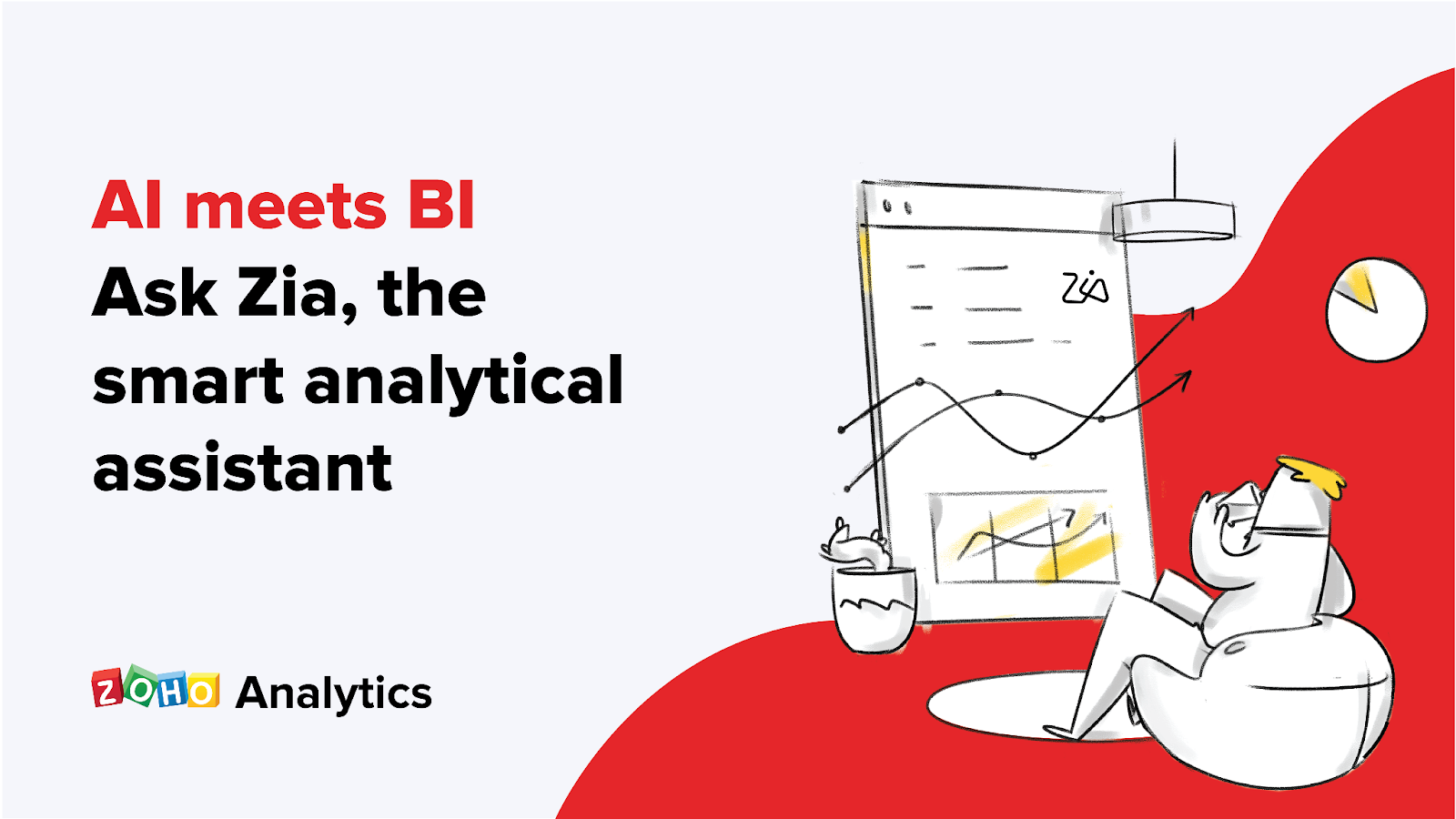
Zoho Analytics includes Zia, an AI-powered assistant that answers questions about your business data.
It’s widely used across sales, marketing, and finance dashboards.
Source:Zoho
4. ThoughtSpot Sage:
ThoughtSpot’s Sage platform uses search-driven analytics to let anyone explore data through natural language.
For example, you can type, “Compare sales growth in Asia vs Europe,” and Sage generates contextual visual insights.
Source:ThoughtSpot
5. ChatGPT Advanced Data Analysis (OpenAI):
Ideal for flexible and customized data exploration, ChatGPT’s Advanced Data Analysis lets you upload datasets and ask questions like, “Analyze this file and highlight key trends.”
Source: DataAnalysis
It can create charts, summaries, and explanations instantly.
These AI tools for data analysis are changing how teams interact with information.
They’re making insights accessible to everyone, turning traditional dashboards into meaningful conversations.
Also Read: Data Science & Analytics Tools Every Professional Should Know
Challenges to Keep in Mind
While AI data analysis is incredibly powerful, it’s not flawless.
- Data Privacy: Sensitive information must be protected.
- Bias: AI may inherit biases from the data it learns from.
- Verification: Human review is still critical to validate AI-generated insights.
The key is balance: let AI handle the heavy lifting, but keep human judgment in the loop.
The Future of Conversational Analytics
We’re moving toward a “chat-first” world, where business intelligence feels as natural as texting a colleague.
Future conversational analytics software will understand context, intent, and even tone. Voice-enabled assistants will soon deliver data insights on demand, hands-free.
As AI-driven analytics evolves, it will redefine how we connect with information from dashboards to dialogues.
Final Thoughts
So, can AI really do your data analysis for you?
The answer is yes — and more than that.
It can understand your questions, analyze your data, and communicate insights instantly.
In short, AI for data analytics is not replacing analysts; it’s making them smarter, faster, and more strategic.
The future of data isn’t just visual; it’s conversational.
Explore Related Courses











COMMENTS(0)
Explore Related Courses
Our Popular Insights
Careers are shifting faster than ever, and staying relevant takes more than experience. Explore UniAthena’s most-read blogs for sharp insights, emerging skills, and practical pathways that help you move forward with clarity and confidence in a changing professional world.


🌟 Students of the Month | May – June 2026 🌟
Read More
1
mins read







🌟 Students of the Month | May – June 2026 🌟
Read more
1
mins read
Get in Touch

It’s Time to Start
Join NowMost Popular Online Specialization
- Master of International Business Administration
- Master of Business Administration
- MBA in General Management- FastTrack
- Master in Innovation and Entrepreneurship
- MBA-Family Business Management
- Master in Procurement and Contract Management
- Extended Diploma in Business Analytics (SCQF Level 11)
- Diploma in Supply Chain and Logistics Management (SCQF Level 11)
- Strategic Human Resource Management Practitioner
- Master in Data Science
- Master in Engineering Management
Trending Online
- Integrated Doctorate of Business Administration
- Postgraduate Certificate in Finance for Next Generation Managers
- Master of Business Administration- General Management (Fast Track)
- Postgraduate Certificate in Socio-Economic and Legal Framework
- Postgraduate Certificate in Business Sustainability
- Certified Manager
- Supply Chain Management Practitioner
- MBA - AI in Business
- MBA - Accounting & Finance
- Master in Supply Chain and Logistics Management
Top Universities Online Certificates
- Postgraduate Certificate in International Marketing Management
- Postgraduate Certificate In International Human Resource Management
- Postgraduate Certificate in Strategic Management
- Postgraduate Certificate in Procurement & Contracts Management
- Postgraduate Certificate in Business Analytics
- Postgraduate Certificate in Strategic Supply Chain & Logistics Management
- Postgraduate Certificate in Human Resource and Leadership
- Project Management Practitioner
- Postgraduate Certificate in Supply Chain Design & Implementation
- Postgraduate Certificate in Management Accounting and Finance
Accredited Online Degree Program
- MBA - Digital Transformation
- MBA - Family Business Management
- MBA - Marketing Management
- MBA in Quality Management
- MBA - Business Intelligence & Data Analytics
- MBA in Operations & Project Management
- MBA in Energy Management
- MBA In Construction & Safety Management
- Master in Organisational Leadership
- Master in Public Health
- Master in Construction Management
- Bachelor of Arts in Business Administration


 Install Now


UniAthena is an Ed-Tech, offering flexible, affordable learning solutions, including Free-Learning Upskilling Courses and Academic Programs in partnerships with accredited and globally renowned universities and professional qualification bodies.


Do you have any questions ?
Feel free to send us your questions or request a free consultation
Send a message
UK
Athena Global Education
Magdalen Centre,
Robert Robinson Avenue,
Oxford, OX4 4GA, UK
Phone : 01865 784299
MIDDLE EAST
Athena Global Education FZE
Block L-03, First Floor,
P O Box 519265, Sharjah Publishing City,
Free Zone, Sharjah, UAE
Phone : +971 55 879 5492
INDIA
Uniathena Private Limited
9A,Midas Tower
Phase 1
Hinjewadi Rajiv Gandhi Infotech Park
Pune-411057
Phone: +91 9145665544
All Copyrights Reserved @ Athena Global Education 2021-2026