-

Bachelor's

-

Masters
-

MBA
-

Doctorate
-

Micro Credit
-

Explore all Courses
-
Postgraduate Certifications

-
Postgraduate Diploma
-
Undergraduate Diploma
-
Diploma



A Practical Guide to Designing Conversational Flows with AI Tools

Author: neha mondal
|5
MINS READ
| 0
| 269
Created On: 11 December, 2025
Share




Have you ever had a query late at night and found yourself chatting with a virtual assistant instead of waiting for human support? That smooth back-and-forth doesn’t happen by chance; it’s powered by conversational AI. Businesses use these systems across websites, apps, and help desks to answer queries, guide users, and automate routine tasks.
In this blog, we explore how conversational flows are designed and how modern AI tools help teams build, test, and deploy virtual assistants in real-world environments.
Understanding the Foundation: What Conversational AI Means
Conversational AI refers to the technology that enables systems to interact with users through natural language. These systems can be voice-based or text-based, and they can be embedded into websites, mobile apps, help desk software, or customer service channels. The goal is to design responses that follow a logical path, allowing users to complete tasks or find information without navigating a traditional interface.
Unlike rule-based chatbots that depend solely on predefined keywords, conversational AI agents use machine learning models to recognise user intent, handle variations in language, and guide the conversation forward. This is why the design of the conversational flow becomes an important part of the development process.
Using Tools to Build Conversational Flows
Several conversational AI tools provide interfaces for designing and organising flows. Dialogflow by Google is one such platform that offers graphical dashboards, intent-based configurations, and integration options for help desk systems and customer service environments. It supports both simple task automation and more advanced conversational experiences.
Here, we use Dialogflow as an example to understand how conversational AI tools typically work. The explanation remains neutral and applies to similar conversational AI platforms available in the market.
Getting Started: What is Google Dialogflow?
Dialogflow is an AI-based development platform that enables users to build conversational agents, also known as chatbots or virtual assistants. It allows developers and non-developers to create flows using intents, training phrases, and response rules. The platform supports text, voice, and multi-channel deployment.
The tool includes features such as context handling, entity extraction, and webhook connections for back-end logic. It is commonly used in customer support, help desk automation, and interactive customer-facing applications.
Explaining the Core Components of a Conversational Flow
Conversational flows built through AI platforms typically rely on four main elements:
1. Intents:
An intent represents what the user is trying to do.
Example: “Check order status,” “Reset password,” or “Schedule an appointment.”
Intent configuration usually includes:
- Training phrases (examples of what users may say)
- Responses
- Parameters to extract information
- Optional conditions for moving to other intents
2. Entities:
Entities represent specific pieces of information in the query, such as location, date, product name, or category.
For example, in the sentence “Track my order for shoes,” the entity may be “shoes” as the product category.
3. Contexts:
Contexts help tools maintain continuity in a conversation. They ensure that the AI agent continues answering the same topic unless the user moves to something new.
4. Fulfilment:
Some flows require actions, such as fetching data from a database or validating user details. In this case, the tool can send the request to an external service through a webhook.
Step-by-Step: Designing a Conversational Flow
Below is a practical, neutral walkthrough of the flow-designing process using Dialogflow as the example platform.
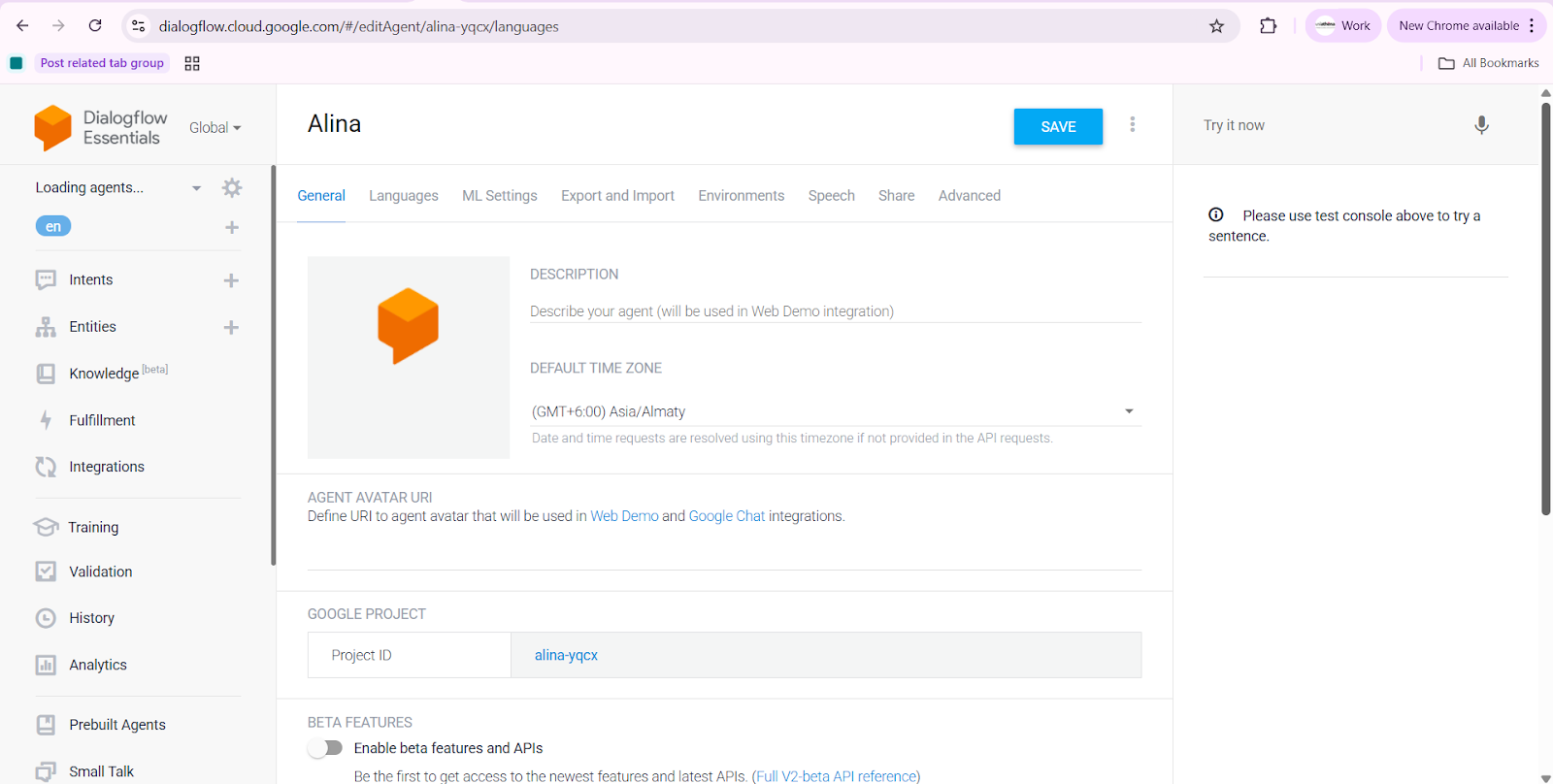
Step 1: Define the Purpose of the Agent
Begin by identifying the main tasks the agent should perform—such as answering FAQs, guiding onboarding processes, or supporting help desk functions.
This ensures the conversational flow aligns with business requirements.
Step 2: Identify User Intents
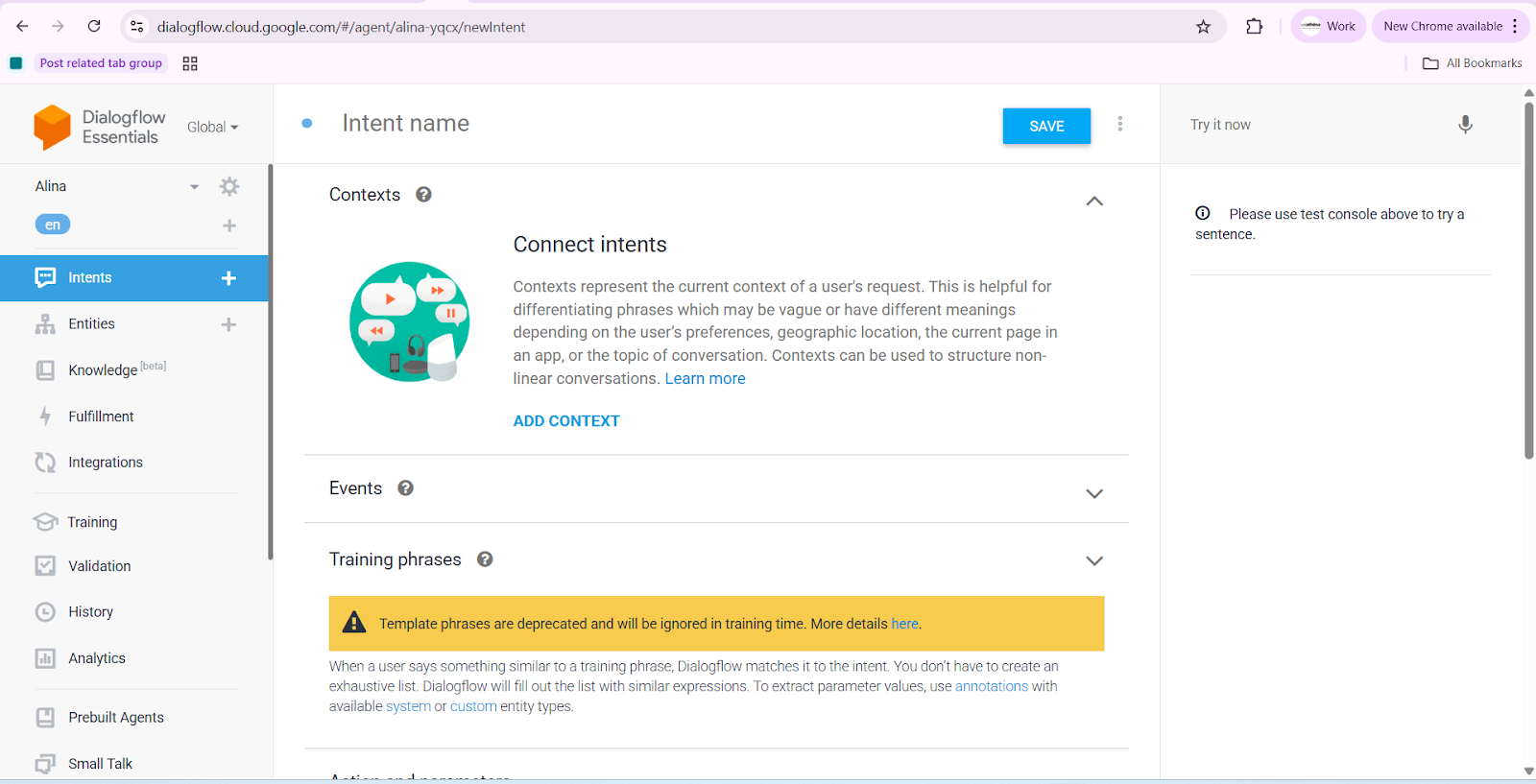
List the questions or actions users are likely to ask.
For example:
- “How do I reset my password?”
- “What are your support hours?”
- “I want to check my order status.”
Each becomes a separate intent in the tool.
Step 3: Add Training Phrases
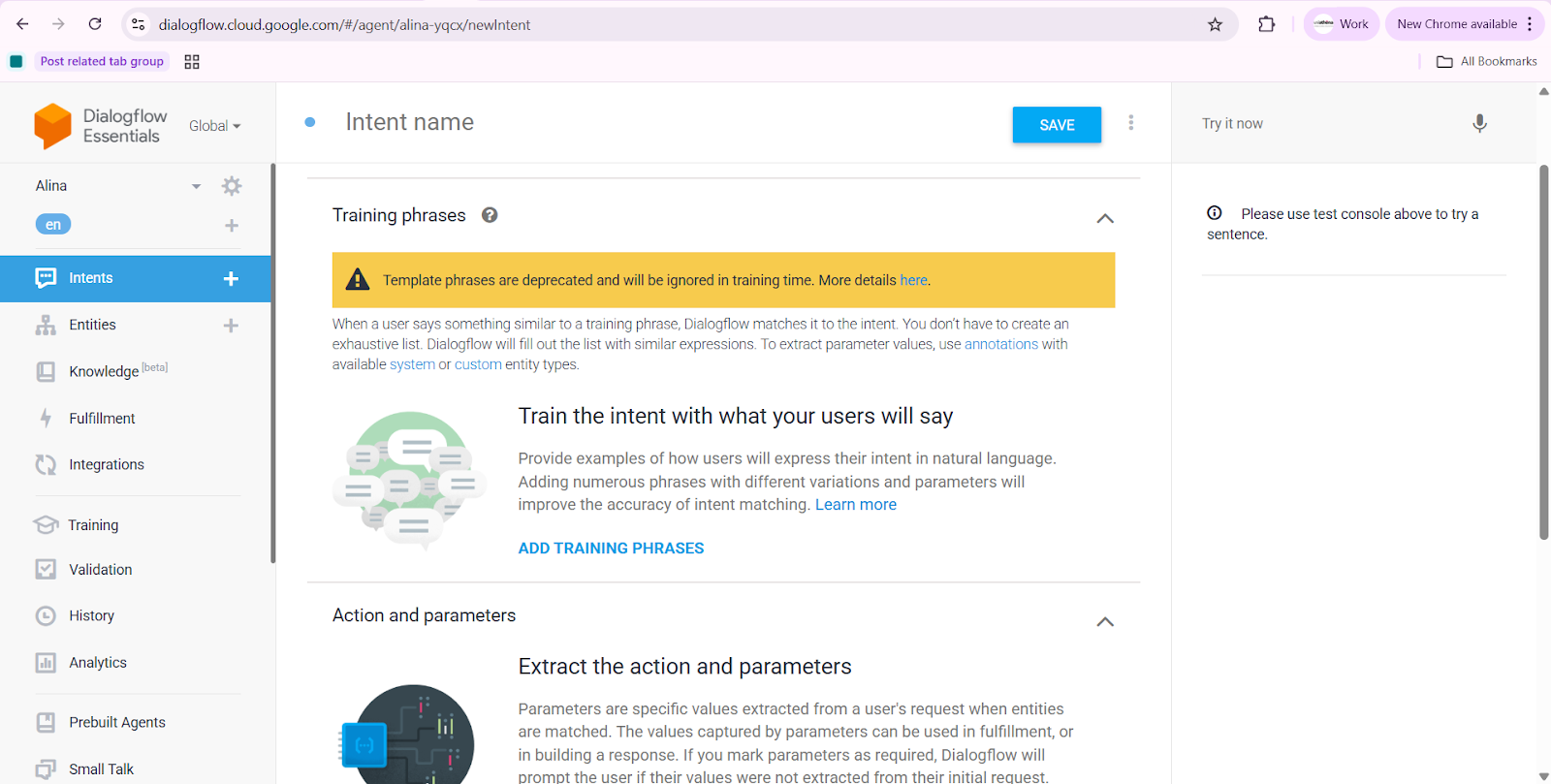
Enter example phrases that users might say.
AI tools use these examples to map real queries to the correct intent, even if users phrase them differently.
Step 4: Configure Responses
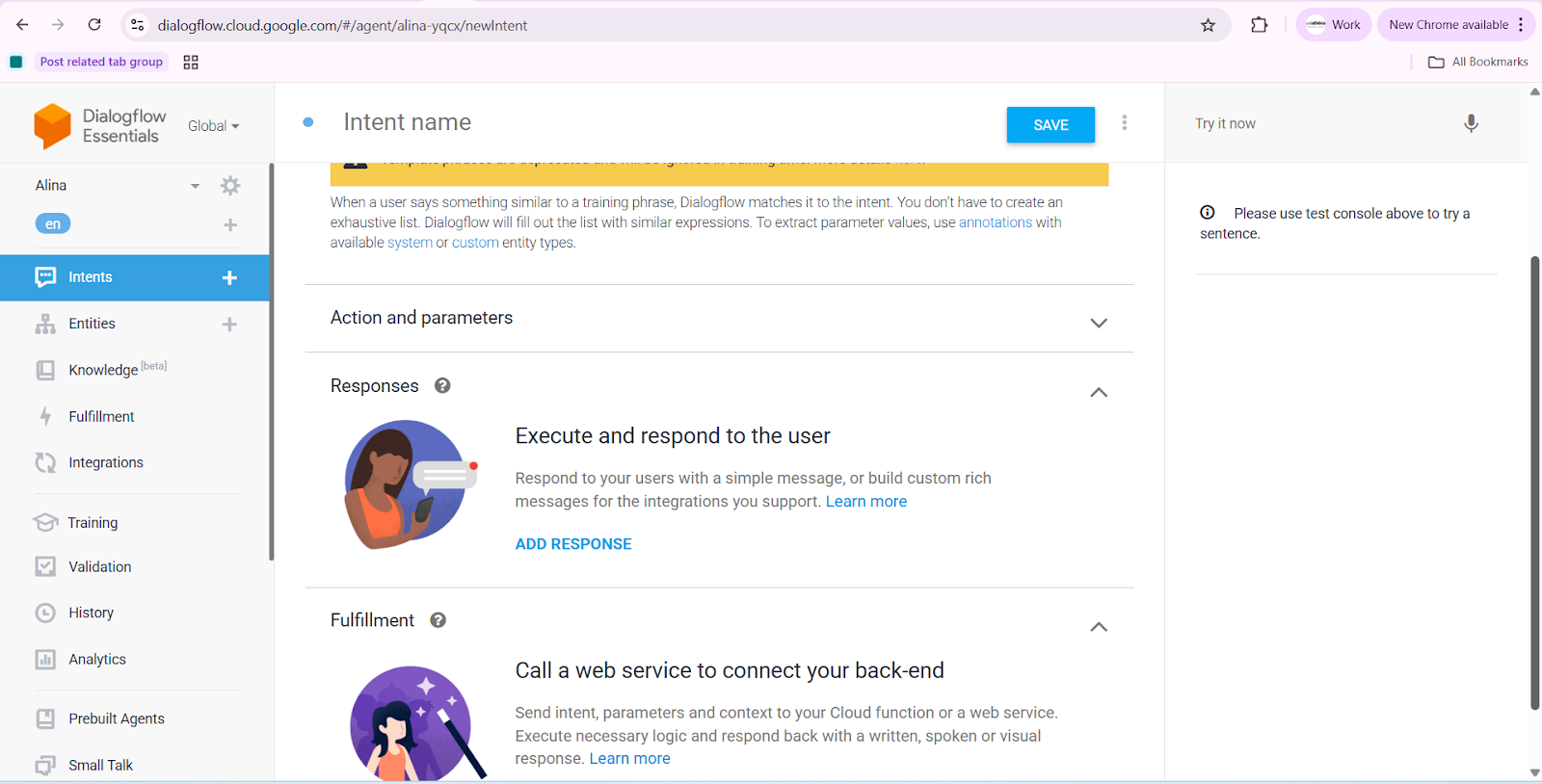
Write clear, concise responses that guide users toward next steps.
Responses must match the conversation’s goal while keeping the flow structured.
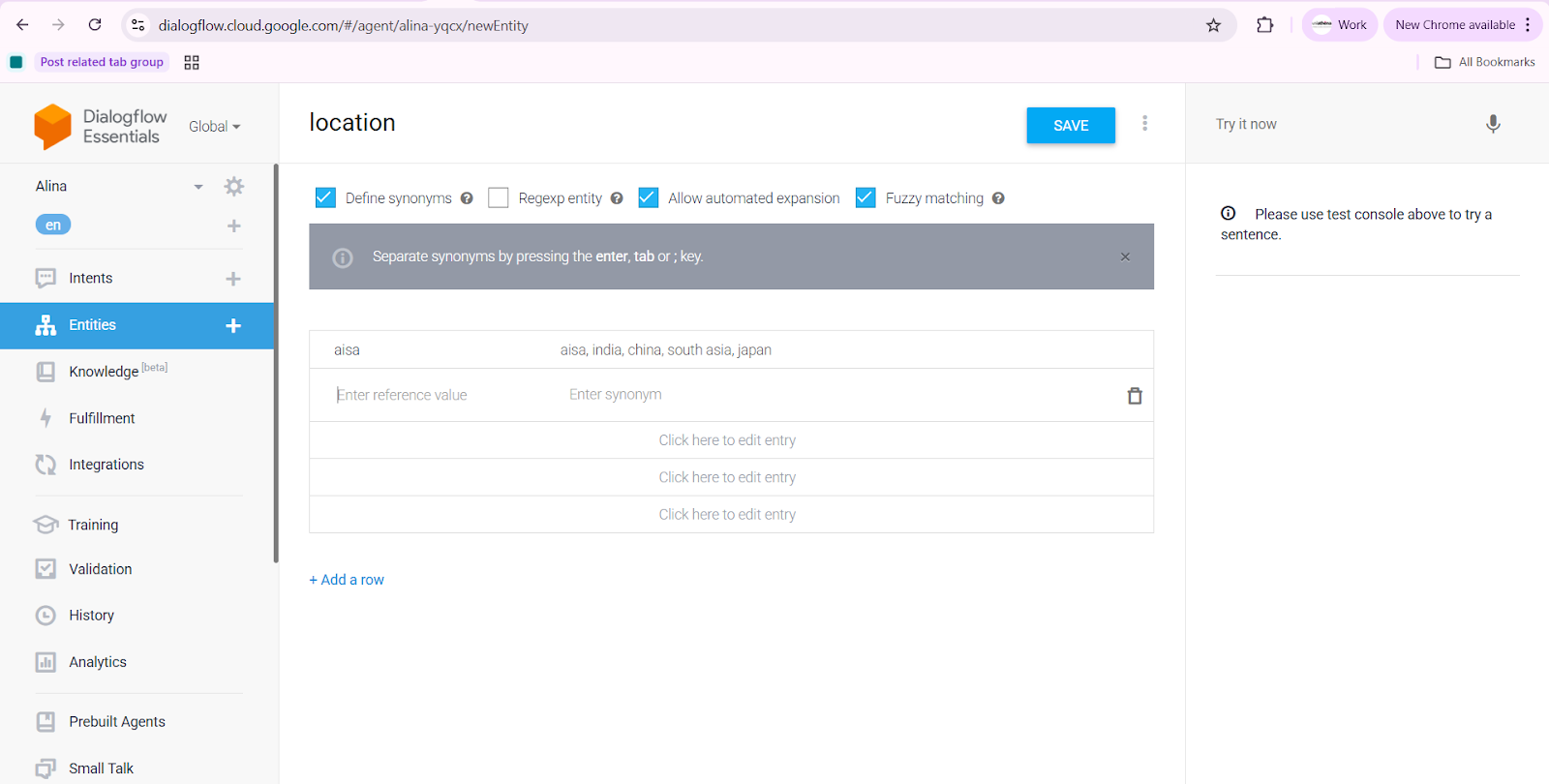
Step 5: Handle Entities (If Needed)
Use entity extraction when the user provides specific details such as dates, order IDs, product names, or locations.
This helps the conversation stay accurate and reduces repetitive questions.
Step 6: Test the Conversation
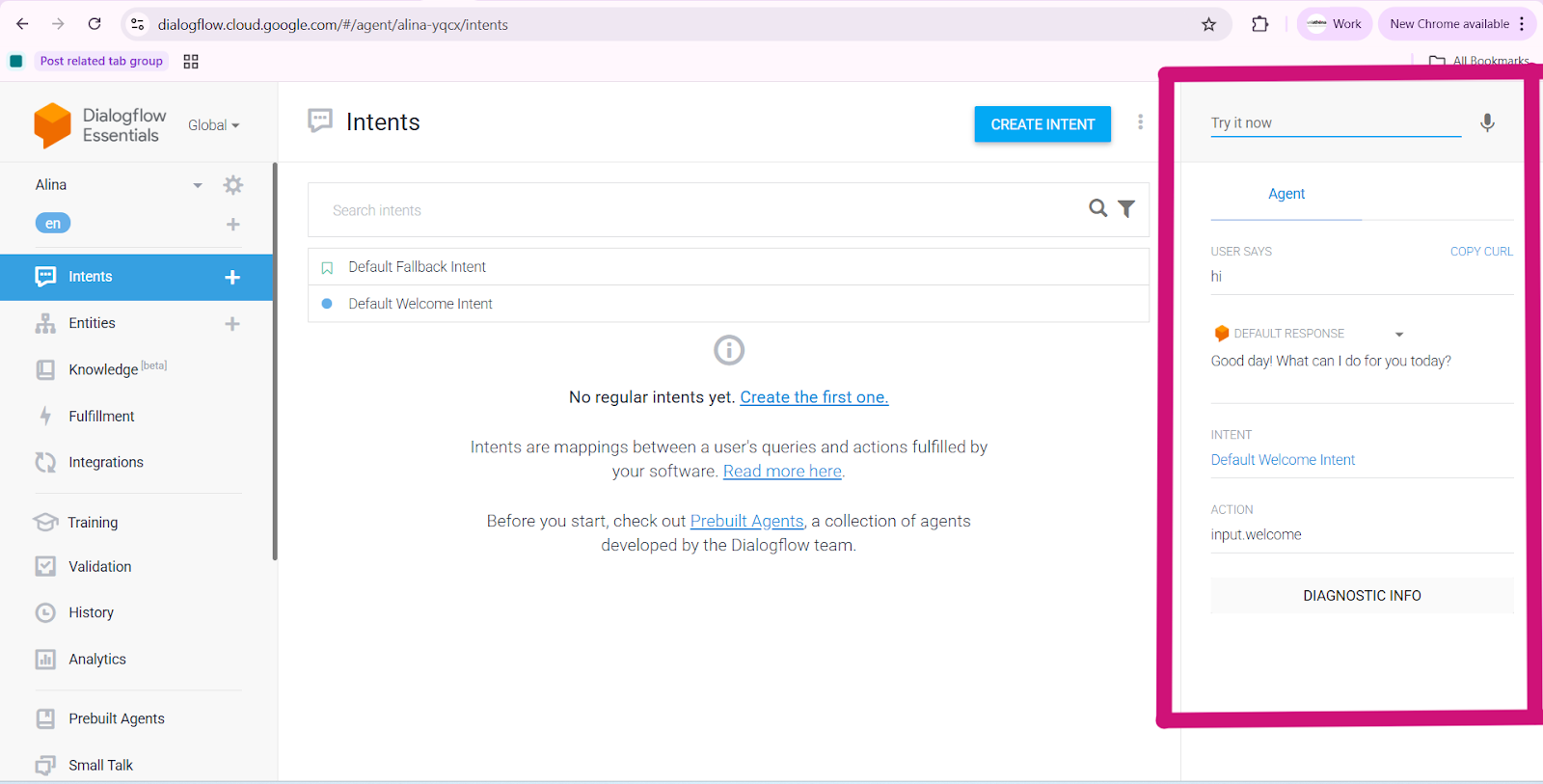
Use the built-in simulator to check how the chatbot responds to different user messages. Make small adjustments if something doesn’t match correctly.
Step 7: Deploy When Ready
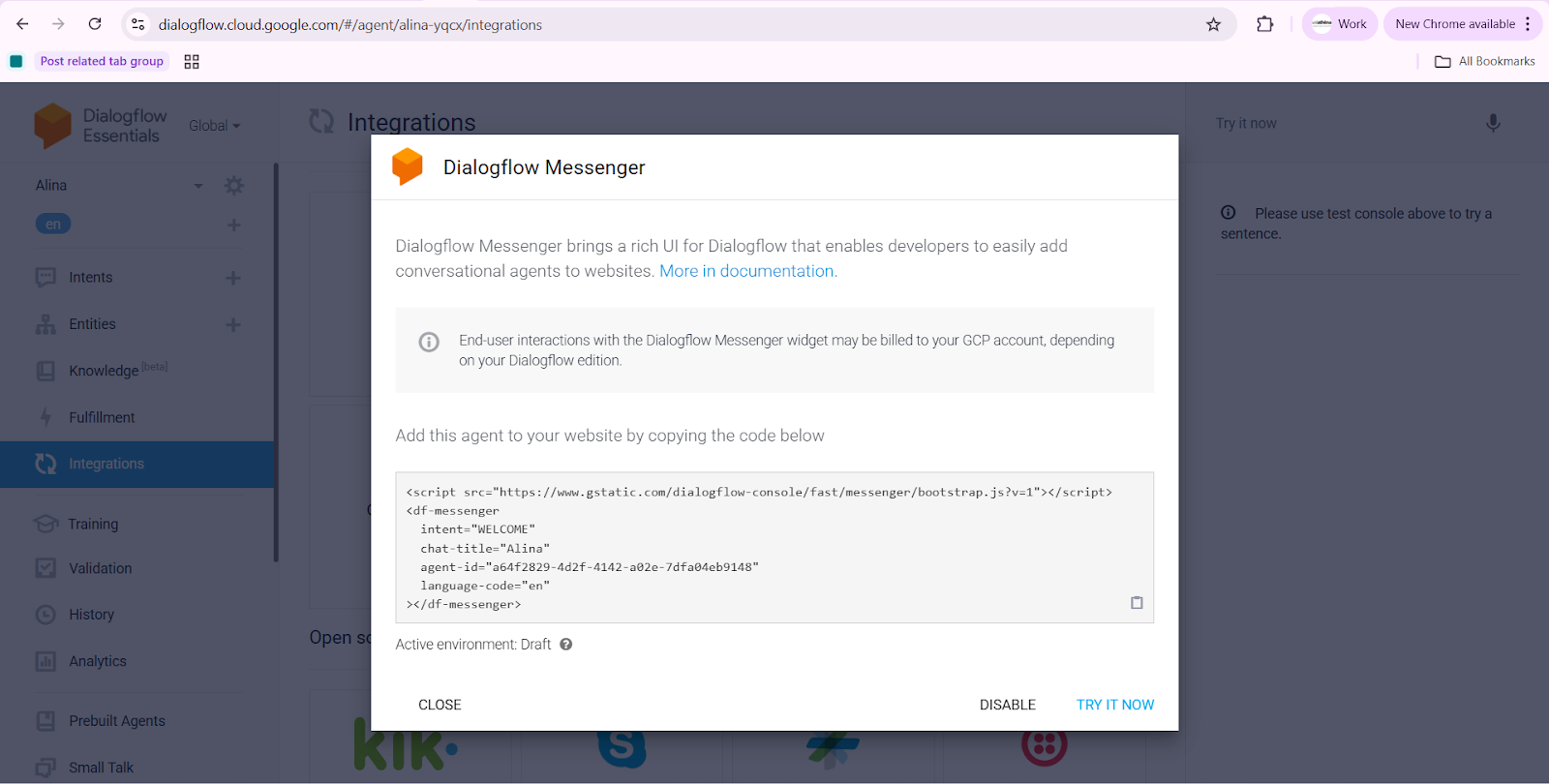
Once everything works well, publish the chatbot to a website or app using the tool’s simple integration options, like an embed code.
Beginner Tips
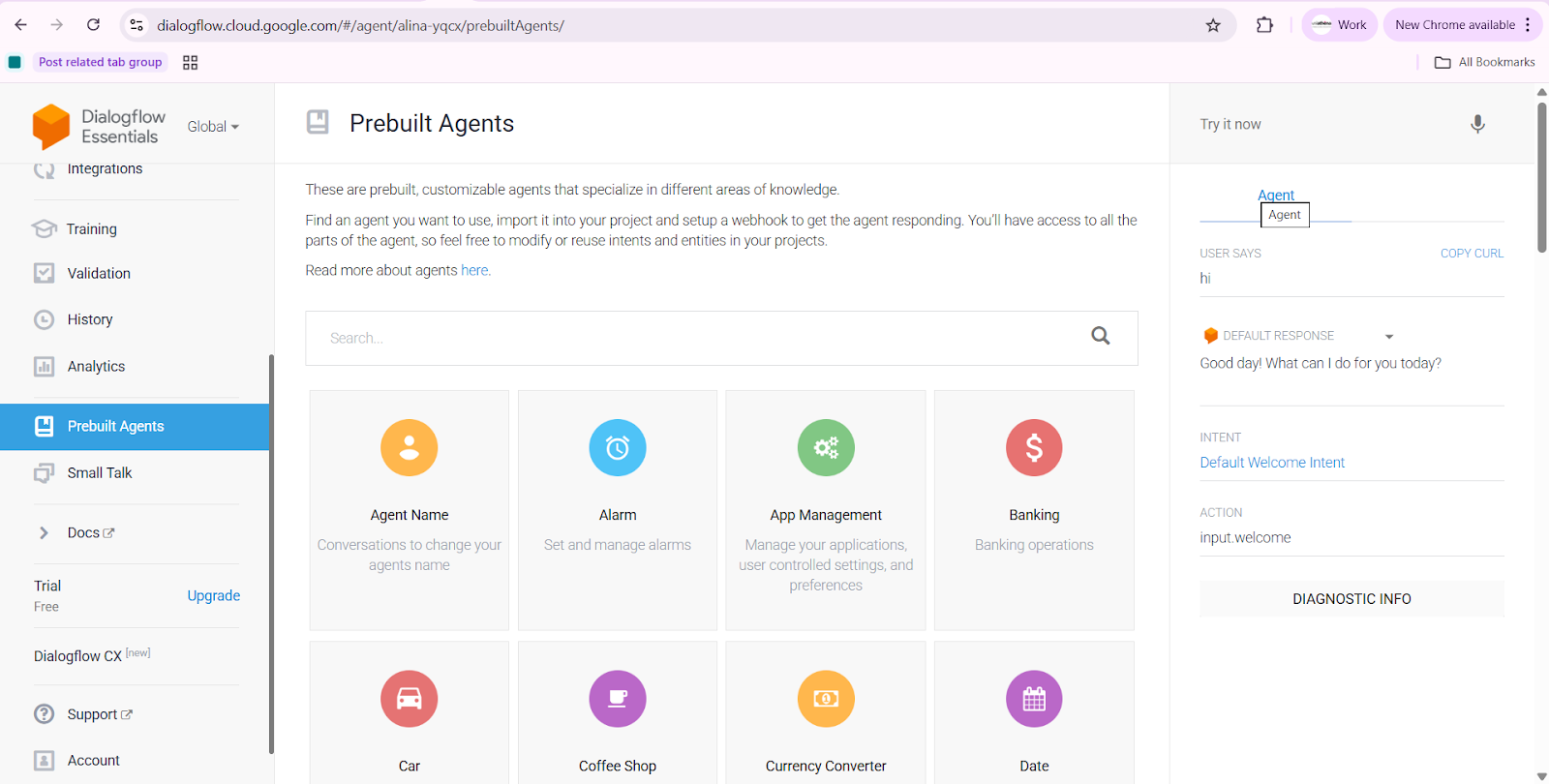
If you’re just starting, most chatbot platforms, including Dialogflow, also offer ready-made agents and prebuilt templates. These are useful when you want a quick setup for common tasks like FAQs, booking flows, or support queries. You can simply import a template, adjust the intent names, rewrite the responses, and your basic chatbot structure is instantly ready.
These prebuilt options save time, reduce mistakes, and help beginners understand how a good conversational flow is organised, without having to build everything from scratch.
Conclusion
Designing conversational flows is a structured process that blends user experience principles with AI-based intent handling.
In essence, conversational AI platforms like Dialogflow allow businesses to create scalable customer service agents, automate help desk tasks, and guide users — all without requiring coding skills.
This is the true power of integrating AI into business operations.
Stay tuned for more blogs where we explore the latest trends, tools, and innovations in AI for business.
Explore Related Courses













COMMENTS(0)
Explore Related Courses
Our Popular Insights
Careers are shifting faster than ever, and staying relevant takes more than experience. Explore UniAthena’s most-read blogs for sharp insights, emerging skills, and practical pathways that help you move forward with clarity and confidence in a changing professional world.

What is Business Development?
Read More
6
mins read

🌟 Top Project Performer – June 2026 🌟
Read More
1
mins read

What is the Role of AI in Education?
Read More
4
mins read

🌟 Top Project Performer – May 2026 🌟
Read More
1
mins read

🌟 Top Project Performer – April 2026 🌟
Read More
1
mins read
What is Business Development?
Read more
6
mins read
🌟 Top Project Performer – June 2026 🌟
Read more
1
mins read
What is the Role of AI in Education?
Read more
4
mins read
🌟 Top Project Performer – May 2026 🌟
Read more
1
mins read

🌟 Top Project Performer – April 2026 🌟
Read more
1
mins read
Get in Touch

It’s Time to Start
Join NowMost Popular Online Specialization
- Master of International Business Administration
- Master of Business Administration
- MBA in General Management- FastTrack
- Master in Innovation and Entrepreneurship
- MBA-Family Business Management
- Master in Procurement and Contract Management
- Extended Diploma in Business Analytics (SCQF Level 11)
- Diploma in Supply Chain and Logistics Management (SCQF Level 11)
- Strategic Human Resource Management Practitioner
- Master in Data Science
- Master in Engineering Management
Trending Online
- Integrated Doctorate of Business Administration
- Postgraduate Certificate in Finance for Next Generation Managers
- Master of Business Administration- General Management (Fast Track)
- Postgraduate Certificate in Socio-Economic and Legal Framework
- Postgraduate Certificate in Business Sustainability
- Certified Manager
- Supply Chain Management Practitioner
- MBA - AI in Business
- MBA - Accounting & Finance
- Master in Supply Chain and Logistics Management
Top Universities Online Certificates
- Postgraduate Certificate in International Marketing Management
- Postgraduate Certificate In International Human Resource Management
- Postgraduate Certificate in Strategic Management
- Postgraduate Certificate in Procurement & Contracts Management
- Postgraduate Certificate in Business Analytics
- Postgraduate Certificate in Strategic Supply Chain & Logistics Management
- Postgraduate Certificate in Human Resource and Leadership
- Project Management Practitioner
- Postgraduate Certificate in Supply Chain Design & Implementation
- Postgraduate Certificate in Management Accounting and Finance
Accredited Online Degree Program
- MBA - Digital Transformation
- MBA - Family Business Management
- MBA - Marketing Management
- MBA in Quality Management
- MBA - Business Intelligence & Data Analytics
- MBA in Operations & Project Management
- MBA in Energy Management
- MBA In Construction & Safety Management
- Master in Organisational Leadership
- Master in Public Health
- Master in Construction Management
- Bachelor of Arts in Business Administration


 Install Now


UniAthena is an Ed-Tech, offering flexible, affordable learning solutions, including Free-Learning Upskilling Courses and Academic Programs in partnerships with accredited and globally renowned universities and professional qualification bodies.


Do you have any questions ?
Feel free to send us your questions or request a free consultation
Send a message
UK
Athena Global Education
Magdalen Centre,
Robert Robinson Avenue,
Oxford, OX4 4GA, UK
Phone : 01865 784299
MIDDLE EAST
Athena Global Education FZE
Block L-03, First Floor,
P O Box 519265, Sharjah Publishing City,
Free Zone, Sharjah, UAE
Phone : +971 55 879 5492
INDIA
Uniathena Private Limited
9A,Midas Tower
Phase 1
Hinjewadi Rajiv Gandhi Infotech Park
Pune-411057
Phone: +91 9145665544
All Copyrights Reserved @ Athena Global Education 2021-2026