-

Bachelor's

-

Masters
-

MBA
-

Doctorate
-

Micro Credit
-

Explore all Courses
-
Postgraduate Certifications

-
Postgraduate Diploma
-
Undergraduate Diploma
-
Diploma



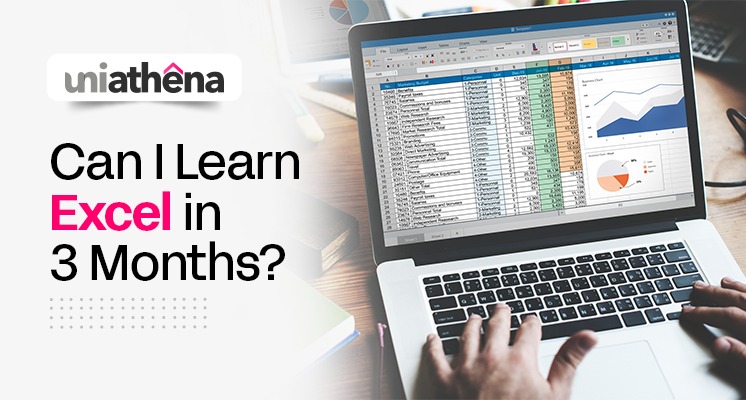
Can I Learn Excel in 3 Months?
Author: sheza firoz
|4
MINS READ
| 0
| 169
Created On: 07 April, 2025 Updated On: 18 July, 2025
Share




Table of Contents (TOC):
- Introduction
- Starting with the Basics
- Building to Intermediate
- Advanced Excel Skills
- Conclusion
- Bonus Points
Introduction
Microsoft Excel might have developed over thirty years ago, but Excel skills remain more relevant than ever before. Working in digitised industries naturally demands perfecting digital skills, but a recent Microsoft study found that despite agreeing on the importance of skills like Excel, a significant talent gap still exists.
As a professional aiming for career advancement and longevity, your career strategy should include building the skills that industries need and lack. Excel skills are also highly relevant to daily operations, with statistics showing that although office workers spend a third of their time on Excel, the majority of users never received formal training. If you learn Excel, you can utilise it to its fullest potential, from record-keeping to data analysis, with ease – in less than three months!
Starting with the Basics
Whether you have some previous experience or want to learn basic Excel from scratch, it is recommended to start with learning about and navigating through spreadsheets and workbooks.
You will need to understand ribbons, quick-access toolbars and data formatting, along with fill, series, workbook view, zoom and freeze functions. Understanding the layout of the software, and what task is performed by each function on the ribbon, is key to building your Excel expertise.
Learn it for Free:
UniAthena’s Basics of Excel Spreadsheets and Workbooks is a free course that addresses all of the aforementioned Excel skills. Delivered 100% online, in a self-paced and byte-sized format, this Basics course is a beginner-friendly way to self-learn excel online, for free. With a 4-6 hour learning duration, this is one of the fastest ways to learn excel. Upon successful completion of the assessments, you can also claim a free certificate from CIQ, UK.
Building to Intermediate
Now that you are clear on the basics, it’s time to explore Excel formulas and functions! This includes learning how to organise data, change the theme of the spreadsheets, basic formulas like SUM, AVERAGE, MIN/MAX, pivot tables and cell-referencing. This will help you perform basic calculations and data analysis processes, which is one of Excel’s most important functions.
Learn it for Free:
UniAthena’s Essentials of MS Excel - Formulas and Functions can help you learn these key Excel skills in as little as 6 hours! Delivered 100% online, this course offers actionable knowledge to help you perform analysis with Excel. Access expert-delivered lectures and reading materials completely free of charge. This Excel Course also comes with a free Certification from CIQ, UK, so you can upskill without breaking the bank.
Advanced Excel Skills
Once you have mastered the basic functions, it’s time to advance to the next round of Excel skills – advanced Data Analysis and Data Visualisation! This includes formatting, sorting and filtering data, conditional formatting, and developing charts and tables in Excel.
You also need to learn how to use VLOOKUP in Excel, along with Indexing, Matching, and Macro Recording. With these, you can safely update your Excel skill level to ‘Expert’; keep in mind that, like all skills, Excel skills must be refreshed regularly.
Learn it for Free:
UniAthena’s Diploma in Microsoft Excel is one of the more advanced Excel classes on the platform. Featuring a comprehensive curriculum of basics, intermediate, and advanced Excel formulas and functions, this free-learning Diploma is perfect for those who want to self-learn Excel on a budget. With this Diploma, you can learn Excel online at your pace, from the comfort of your home, in as little as a week.
Conclusion
In this blog, we outlined the main Excel skills you need to develop in order to use the software productively in your day-to-day operations. We also recommended several budget-friendly and free-learning Excel courses that will help learners develop Excel skills in less than 3 months!
With the growing role and impact of data analysis, professionals who are dedicated to honing their skills with advanced Excel classes will stand out for their analytical proficiency.
Bonus Points:
- Excel is a pretty powerful data software, as it has 1,048,576 rows and 16,384 columns.
- Excel skills are transferable, so unlike other specialised skills, Excel proficiency remains relevant across career roles and industries.
Explore Related Courses











COMMENTS(0)
Explore Related Courses
Our Popular Insights
Careers are shifting faster than ever, and staying relevant takes more than experience. Explore UniAthena’s most-read blogs for sharp insights, emerging skills, and practical pathways that help you move forward with clarity and confidence in a changing professional world.


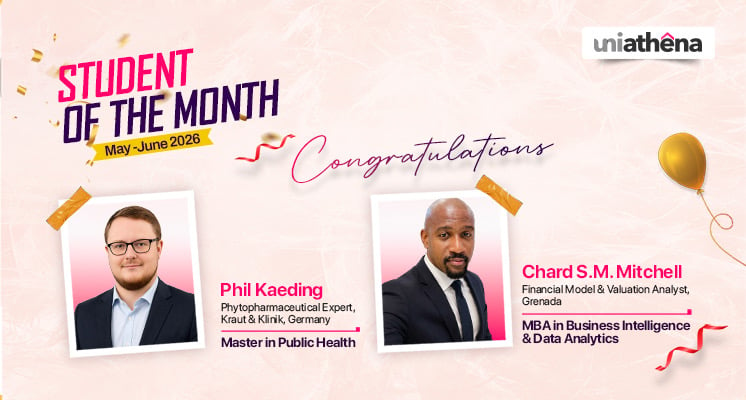
🌟 Students of the Month | May – June 2026 🌟
Read More
1
mins read





🌟 Students of the Month | May – June 2026 🌟
Read more
1
mins read
Get in Touch

It’s Time to Start
Join NowMost Popular Online Specialization
- Master of International Business Administration
- Master of Business Administration
- MBA in General Management- FastTrack
- Master in Innovation and Entrepreneurship
- MBA-Family Business Management
- Master in Procurement and Contract Management
- Extended Diploma in Business Analytics (SCQF Level 11)
- Diploma in Supply Chain and Logistics Management (SCQF Level 11)
- Strategic Human Resource Management Practitioner
- Master in Data Science
- Master in Engineering Management
Trending Online
- Integrated Doctorate of Business Administration
- Postgraduate Certificate in Finance for Next Generation Managers
- Master of Business Administration- General Management (Fast Track)
- Postgraduate Certificate in Socio-Economic and Legal Framework
- Postgraduate Certificate in Business Sustainability
- Certified Manager
- Supply Chain Management Practitioner
- MBA - AI in Business
- MBA - Accounting & Finance
- Master in Supply Chain and Logistics Management
Top Universities Online Certificates
- Postgraduate Certificate in International Marketing Management
- Postgraduate Certificate In International Human Resource Management
- Postgraduate Certificate in Strategic Management
- Postgraduate Certificate in Procurement & Contracts Management
- Postgraduate Certificate in Business Analytics
- Postgraduate Certificate in Strategic Supply Chain & Logistics Management
- Postgraduate Certificate in Human Resource and Leadership
- Project Management Practitioner
- Postgraduate Certificate in Supply Chain Design & Implementation
- Postgraduate Certificate in Management Accounting and Finance
Accredited Online Degree Program
- MBA - Digital Transformation
- MBA - Family Business Management
- MBA - Marketing Management
- MBA in Quality Management
- MBA - Business Intelligence & Data Analytics
- MBA in Operations & Project Management
- MBA in Energy Management
- MBA In Construction & Safety Management
- Master in Organisational Leadership
- Master in Public Health
- Master in Construction Management
- Bachelor of Arts in Business Administration


 Install Now


UniAthena is an Ed-Tech, offering flexible, affordable learning solutions, including Free-Learning Upskilling Courses and Academic Programs in partnerships with accredited and globally renowned universities and professional qualification bodies.


Do you have any questions ?
Feel free to send us your questions or request a free consultation
Send a message
UK
Athena Global Education
Magdalen Centre,
Robert Robinson Avenue,
Oxford, OX4 4GA, UK
Phone : 01865 784299
MIDDLE EAST
Athena Global Education FZE
Block L-03, First Floor,
P O Box 519265, Sharjah Publishing City,
Free Zone, Sharjah, UAE
Phone : +971 55 879 5492
INDIA
Uniathena Private Limited
9A,Midas Tower
Phase 1
Hinjewadi Rajiv Gandhi Infotech Park
Pune-411057
Phone: +91 9145665544
All Copyrights Reserved @ Athena Global Education 2021-2026